







Improving SEO for Shopify: Your Complete Guide


Shopify is a go-to platform for starting an online business—but launching your store is only the first step. If you want to keep costs low and drive consistent sales, relying only on ads isn’t sustainable. That’s where SEO for Shopify comes in.
Effective search engine optimization helps you attract high-intent customers, improve visibility, and generate a steady flow of organic traffic. In this guide, you’ll learn how Shopify SEO works, step-by-step strategies to optimize your store, and the tips to help you grow more efficiently.
What Is Shopify SEO?
SEO (search engine optimization) is simply about helping your store get found on Google. SEO for Shopify stores means optimizing your site so the right customers can discover your products through search. With SEO, your store shows up when potential customers are actively searching, so you don’t have to rely on ads.
Now, let’s break down how to improve your Shopify SEO step by step.
How to Improve SEO for Shopify (Step-by-Step Guide)
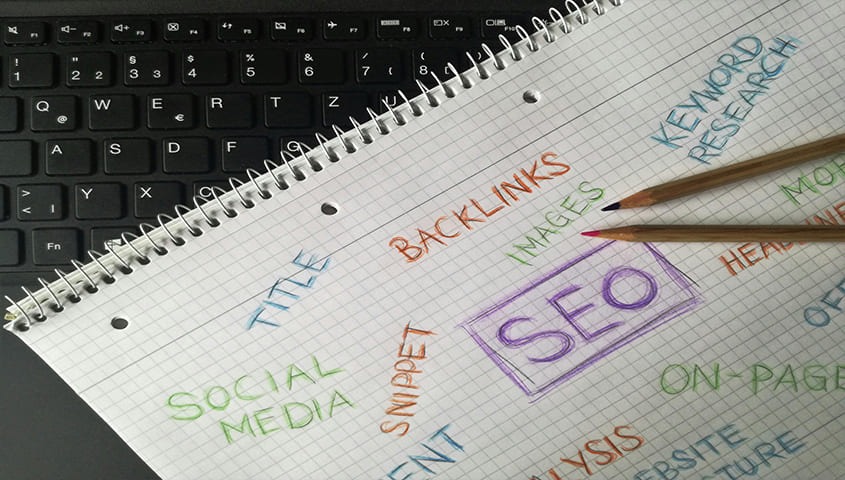
If you want to grow your organic traffic, building a solid SEO foundation is key. Instead of guessing what might work, it helps to follow a clear approach to Shopify SEO.
In the next sections, we’ll walk through the key areas to focus on—like keyword research, on-page SEO, technical SEO, content, and off-page strategies. So you can improve your store’s visibility and attract the right customers more effectively.
1. Keyword Research for Shopify
Keyword research is the starting point of any solid Shopify SEO strategy. Before you optimize anything, you need to know what your potential customers are actually typing into Google. These search terms shape the pages you create and optimize, and help you focus on keywords that give you the best chance to rank and drive traffic.
Find Right Keywords
- Start with your products and ideas.
Begin with what you already sell. List out your main products and jot down a few simple keywords that describe them—this gives you a solid starting point. If you’re still exploring ideas, you can also look at broader searches like "best products to sell on Shopify" to see what people are currently interested in. - Use keyword research tools.
From there, tools like Google Keyword Planner or Ubersuggest can help you discover more keyword ideas and get a feel for search volume and competition. - Look at search volume and competition.
Try to find a balance—keywords with decent search volume but not too much competition are usually a good place to start. - Think about search intent.
Consider what people actually want when they search. Are they looking to buy, compare options, or just learn more? Matching the right intent can make a big difference in both traffic and conversions.
Use Long-Tail Keywords for Better Ranking
Long-tail keywords are longer, more specific searches—like “custom print on demand hoodie” or “minimalist streetwear t-shirt design.” They may not get as much traffic, but they bring in a more relevant audience.
People who use these more specific search terms are usually already close to making a purchase.
By adding long-tail keywords to your product pages and blog content, you can attract more high-intent traffic and convert more visitors into customers.
3. On-Page SEO Optimization

Once you’ve got your keywords, the next step is using them throughout your store. On-page SEO is simply about optimizing your Shopify pages—such as titles, descriptions, images, and internal links.
Write Effective Meta Descriptions
Shopify makes it easy to optimize your titles and descriptions.
Just go to a product or collection page, open the "Search engine listing preview," and click "Edit website SEO" to update your metadata.
When writing your titles and descriptions, include your main keyword naturally and add long-tail variations where appropriate. Keep your meta titles between 50 and 60 characters and your descriptions around 120 characters. It also helps to highlight key selling points, such as free shipping, discounts, or special offers.
These small tweaks can improve your SEO and make your listings more appealing to click.
Improve Internal Linking
Internal links are a simple way to guide both users and search engines through your store. They help highlight your most important pages and show how your content is connected. Since you control your site structure, you can use internal links to point people (and search engines) toward key pages—like print-on-demand products, collections, or high-value content. When adding links, use clear, descriptive anchor text so it’s obvious what the page is about.
Done right, internal linking can strengthen your site structure, improve visibility, and help your most important pages stand out.
Use Image Alt Text
Alt text bridges the gap between images and search engines by providing meaningful context, helping visual content align with user search intent while improving accessibility.
In Shopify, adding alt text is quick and easy—just click an image and enter a short description. It’s also a good idea to use clear, descriptive file names. For example, something like “high-quality-black-custom-apparel.jpg” gives much more context than a generic name like “IMG55874.jpg.”
One more thing—try to keep your image file sizes optimized. Smaller files load faster, which helps improve both your SEO and the overall user experience.
3. Technical SEO for Shopify

Beyond on-page SEO, technical SEO focuses on improving your store’s performance, structure, and speed to help search engines crawl and rank your pages more efficiently.
Create a Clear Store Structure
A clear site structure makes it much easier for users to navigate your store. It also helps pass authority between pages, which can support your overall rankings.
A simple structure like this usually works well: Home → Collection → Product. It keeps things easy to navigate and gives your product pages a better chance to rank.
Shopify doesn’t use traditional category pages, but its “collections” work similarly and are great for organizing your products.
Increase Site Speed
People expect your site to load fast. If a page takes too long to load, they’ll often leave before they even see what you offer. That’s why site speed matters more than you might think.
A few common things can slow your store down—like your theme, installed apps, or extra third-party scripts (such as tag managers). These are usually the first areas worth checking.
If you’re looking to improve performance, switching to a Shopify 2.0 theme can help. They’re built to load faster and generally offer a smoother experience overall.
Read our blog on the Shopify image guide to help your site load faster.
4. Content SEO

Creating blog content is a great way to boost your Shopify SEO. By writing articles around the keywords your customers are searching for, you can bring in more organic traffic and support your overall marketing efforts. Shopify also has a built-in blogging feature, so you can easily create and manage posts right from your dashboard under Online Store → Blog posts.
If you’re running a Shopify store, here are a few simple ways to approach your content strategy:
- Start by choosing keywords you want to target.
- Take a look at what’s already ranking on Google.
- Figure out whether the intent is informational or transactional.
- Then create new content — or improve what you already have—based on that intent.
With a bit of planning, your blog can do more than just drive traffic. It can help you attract new visitors while building trust and keeping your existing customers engaged.
5. Off-Page SEO Strategies
Once your content and site structure are in good shape, it’s time to start building authority beyond your store.
Off-page SEO is all about what happens outside your website—things like backlinks, brand mentions, and partnerships that help build trust and credibility.
What are Backlinks
Backlinks are links placed on other websites that point back to your Shopify store. Think of them as signals of trust—when other sites link to you, it tells search engines your content is worth paying attention to.
In general, the more high-quality backlinks you have, the better your chances of ranking higher in search results. But quality matters more than quantity.
Links from relevant, authoritative sites carry far more weight than random or low-quality ones, so it’s worth focusing on getting backlinks from sources that actually make sense for your niche.
Guest Posting for Link Building
If you’re struggling to get people to notice your store, collaborations can make a big difference. Guest blogging and partnerships are a simple way to get your brand in front of a new audience—without relying only on ads.
By contributing useful content to websites in your niche, you can naturally link back to your Shopify store while building credibility at the same time. Working with influencers or publishing guest posts also helps you reach people who wouldn’t have found your brand otherwise.
The key is to focus on content that actually helps your audience. When you do that, you’re not just getting backlinks—you’re building trust, driving targeted traffic, and setting your store up for more consistent growth.
SEO Shopify Tips for Beginners to Avoid Common Mistakes

SEO can feel overwhelming, especially when you’re trying to optimize every part of your Shopify store. To make things easier, here are some practical SEO tips for Shopify you can follow to improve your rankings and traffic.
While Shopify is one of the most popular e-commerce platforms, the same SEO tips also apply if you’re using other platforms or considering Shopify alternatives.
1. Use Short, Clean URLs
URLs might seem like a small detail, but they can make a real difference for your SEO. Shopify will generate URLs for you by default, but it’s worth taking a minute to clean them up.
Try to keep your URLs short, clear, and descriptive. Use keywords that match the page, and avoid things like random numbers, special characters, or overly long strings.
A clean URL not only helps search engines understand your page, but also gives people a better idea of what they’re clicking on.
2. Don't Ignore Mobile Optimization
Most people browse on their phones now, so a slow or clunky mobile experience can hurt both your rankings and your conversions. Since Google uses mobile-first indexing, it primarily uses the mobile version of your site when ranking it.
To improve your mobile experience, keep images optimized, limit heavy scripts, and make sure your site is easy to navigate on smaller screens. A faster, smoother mobile experience can have a real impact on both your rankings and sales.
3. Avoid Duplicate Content
Duplicate content happens when the same content shows up in multiple URLs across your site. When that happens, search engines can struggle to figure out which page to rank—and your rankings can end up competing with each other.
While Google usually won’t penalize this if it’s unintentional, it can still hold your SEO back. It spreads out your link equity and makes it harder for your pages to build authority.
If you want to check for duplicate content, tools like SEMrush, Siteliner, or Screaming Frog can help you quickly spot the issue.
What is the Best SEO App for Shopify?
Let’s take a look at some useful apps that can help improve your Shopify SEO.
Plug in SEO
Plug in SEO runs a quick scan of your store and flags common issues—like missing meta tags, broken links, or images without alt text, so you know exactly what to fix.
What makes it especially useful is how simple it is to use. You don’t need much technical knowledge to get started, which makes it a good fit for beginners. It provides helpful suggestions along the way, along with features like keyword insights and structured data to improve your store's search rankings.
Pricing: A free trial is available, and the paid plan typically starts at $29.99 per month.
Smart SEO
Smart SEO is designed to make SEO much easier by handling both technical and on-page tasks—like meta tags, image optimization, structured data, and broken link checks.
Instead of going through each page one by one, you can use it to bulk optimize key SEO elements across your store. This saves a lot of time and helps keep everything consistent.
It also supports structured data (JSON-LD), which helps search engines like Google and Bing better understand your site and how your pages should appear in search results.
Pricing: Offer a free trial, and paid plans typically start from around $9.99 per month.
Rewind Backups
Rewind Backups is a Shopify app that helps you keep your store data safe by automatically backing up things like products, orders, customers, and themes.
If something goes wrong—like accidentally deleting products, running into app conflicts, or dealing with data errors—you can restore your store in just a few clicks.
While it’s not an SEO tool, it’s still an important one to have. It protects your content and keeps your store running smoothly, without risking the loss of valuable data.
Pricing: There’s a free trial available, and paid plans usually start at around $19 per month, depending on your store size.
FAQs About Shopify SEO
How to increase SEO on Shopify?
To improve SEO on Shopify, start with keyword research and use those keywords naturally in your product pages, titles, and descriptions.
Then focus on improving your content, adding alt text, and using internal links. It also helps to optimize site speed, mobile experience, and create blog content. Building backlinks can further boost your store’s visibility and rankings.
Is headless Shopify better for SEO?
Headless Shopify can offer SEO benefits like better speed and flexibility, but it does require more technical setup. For most store owners, standard Shopify is already SEO-friendly and much easier to manage. Headless setups usually make more sense for larger stores with dedicated development resources.
Is Shopify good for SEO?
Yes. It comes with built-in features like customizable titles and meta descriptions, mobile-friendly themes, and fast hosting, all of which help your store show up in search results.
You can also create blog content, add internal links, and use apps to further optimize your site. That said, your results still depend on how you use these tools—Shopify gives you a strong foundation, but your strategy makes the difference.
Final Thoughts: Is Shopify SEO Worth It?
Building a strong Shopify SEO strategy is key if you want consistent, long-term growth. It helps you bring in organic traffic, rely less on paid ads, and build real credibility for your brand over time.
One of Shopify’s biggest advantages is the flexibility it gives you to optimize your store the way you want—so you’re not limited to just paid channels. By focusing on SEO, you can attract more qualified customers, improve your visibility, and create a more sustainable path for growth.
.jpg)
.jpg)
%20(3).jpg)

.png)


.jpg)
.jpg)
.jpg)
.jpg)
.jpg)
.jpg)







.png)




.png)

.webp)

.jpg)














.jpg)



.jpg)

.png)
.jpg)


.jpg)

.jpg)





.jpg)
.jpg)
.jpg)
.jpg)
.jpg)

%20(1).jpg)

.png)

.png)



%20(1)%20(1).jpg)








.png)
.png)




.jpg)