How to Change Your Email Address
September 15, 2026 · Updated
You can update the email address associated with your Tapstitch account through your account settings. For security purposes, you'll be required to verify your identity before the change can be completed.
Before You Begin
To change your email address, you'll need:
- Access to your Tapstitch account
- Your current account password
- Access to the new email address you want to use
Step 1: Open Account Settings
Log in to your Tapstitch account and navigate to:
Account Settings → My Info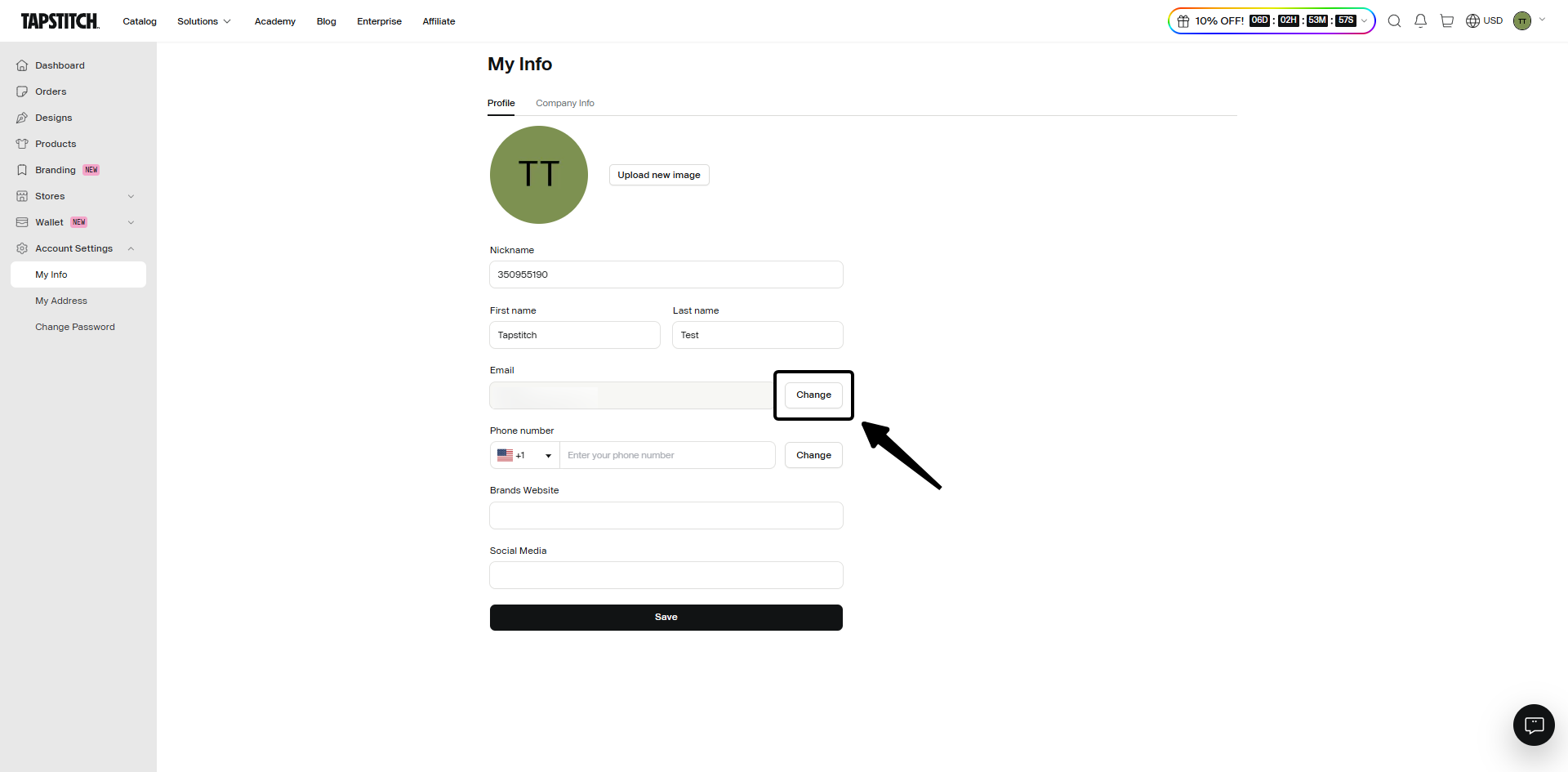
Step 2: Enter Your New Email Address
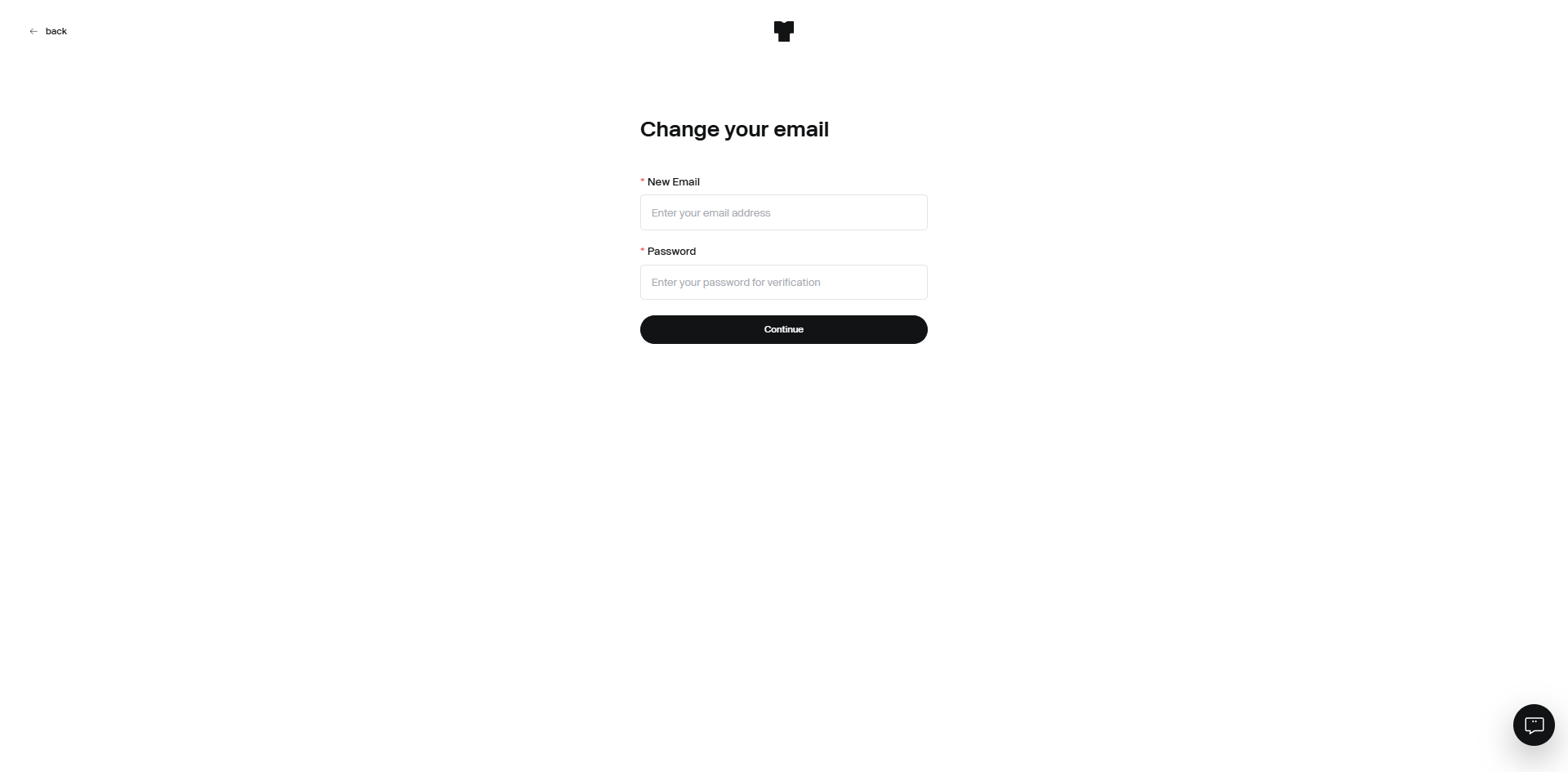
Locate the Change Email option and enter:
- Your new email address
- Your current account password
Click Submit to continue.
Step 3: Check Your New Email Inbox
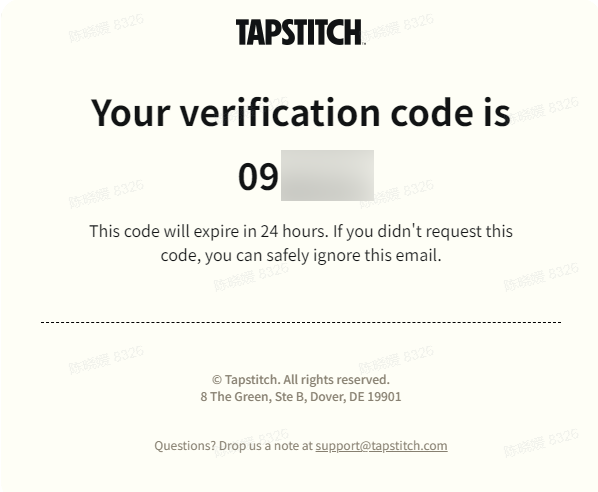
A verification code will be sent to your new email address.
Open the email and locate the verification code.
Step 4: Verify Your New Email Address
Return to the email update page and enter the verification code. Once the code is successfully verified, your email address will be updated. You may receive a confirmation message indicating that the change has been completed.
Email Address Updated Successfully
Your new email address is now associated with your Tapstitch account. Going forward, use your new email address when logging in or receiving account-related notifications.
Troubleshooting
I Didn't Receive the Verification Code
If you don't see the verification email:
- Check your Spam or Junk folder.
- Wait a few minutes and refresh your inbox.
- Confirm that the new email address was entered correctly.
- Request a new verification code.
The Verification Code Has Expired
For security reasons, verification codes may expire after a period of time. If your code is no longer valid, request a new verification code and try again.
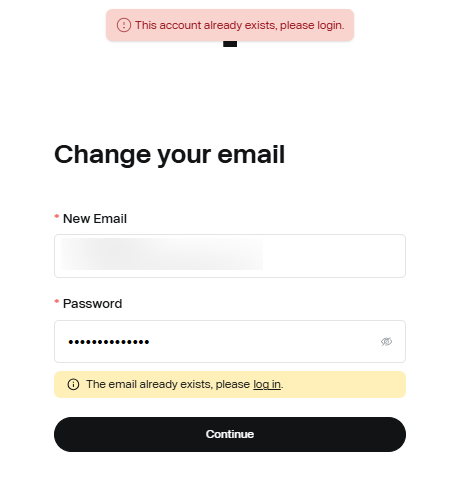
My New Email Address Is Already in Use
Each Tapstitch account must have a unique email address.
If you receive a message that the email address is already registered, try using a different email address or contact Support for assistance.
Need More Help?
If you're experiencing issues changing your email address, please contact our Support Team through Live Chat or email us at support@tapstitch.com, and we'll be happy to assist you.
Was this article helpful?
6 found this helpful