Order Changes & Cancellations
April 17, 2026 · Updated
How do I cancel an order?
You may cancel your order directly from your account dashboard at any time before it enters production. Orders that have the In Production status are no longer eligible for cancellation. You can confirm your order status by reviewing the order details page.
How do I modify an existing order?
Once an order is submitted, we cannot make any modifications. If you need to change items, colors, sizes, quantities, or customization details, you'll want to cancel the original order as long as it's not in production and place a new one with the correct details.
Step-by-Step Instructions to cancel an order
Locate Your Order
- Log in to your Tapstitch account.
- Navigate to your Dashboard.
- Go to Account → Orders.
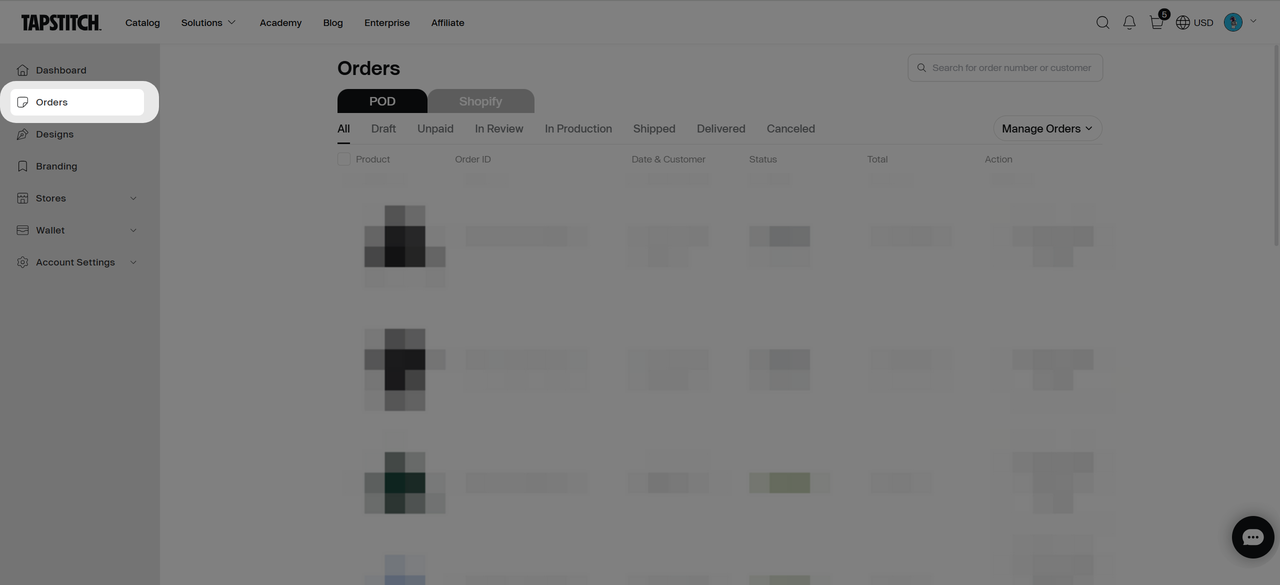
Select and Review the Order
- Find the specific order you wish to cancel.
- Click to open the order details page.
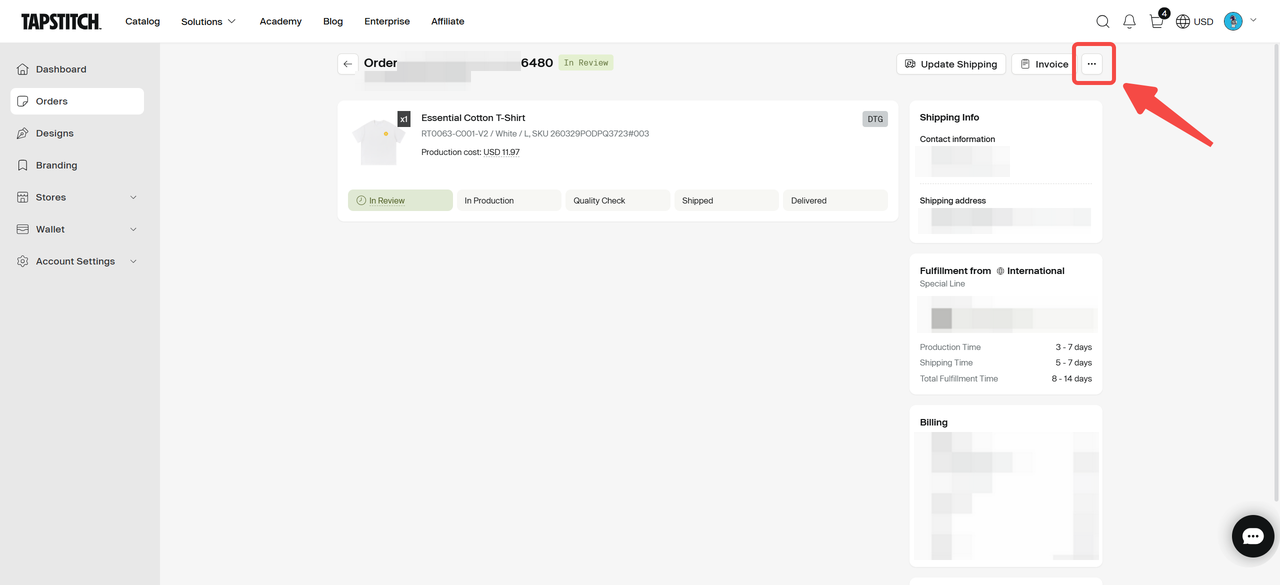
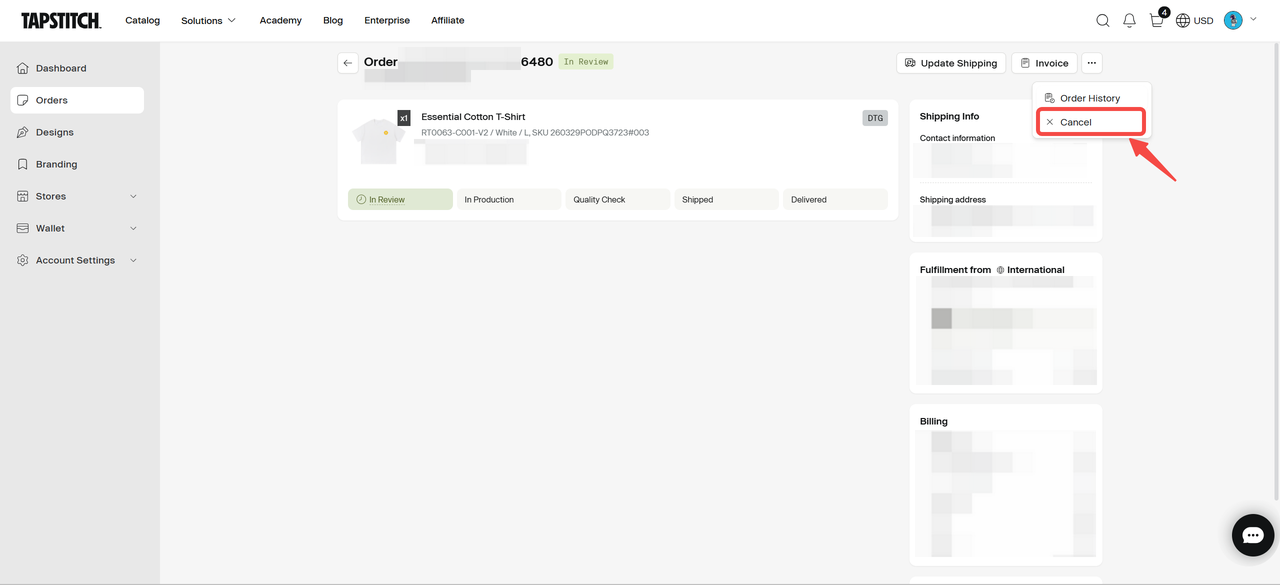
Cancel the order
- Confirm the order is not yet "In Production".
- Click the "..." (more options) icon in the top-right corner of the page.
- Select "Cancel" from the dropdown menu.
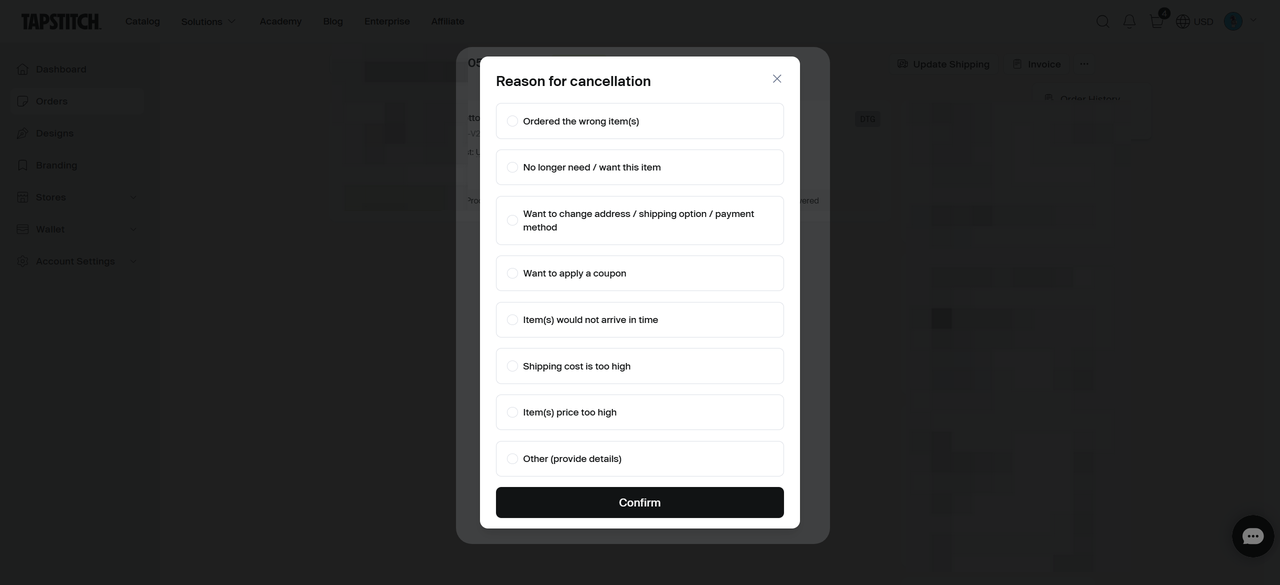
Cancellation Reason and Confirm
- Select your cancellation reason. If you are canceling to make a change, select the appropriate option (e.g., "Ordered the wrong item(s)").
- Click Confirm.
Confirmation
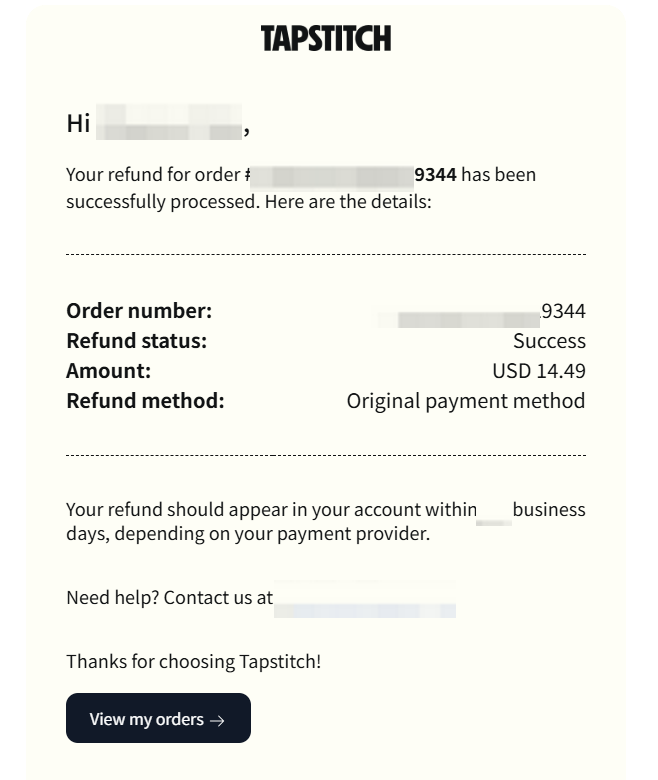
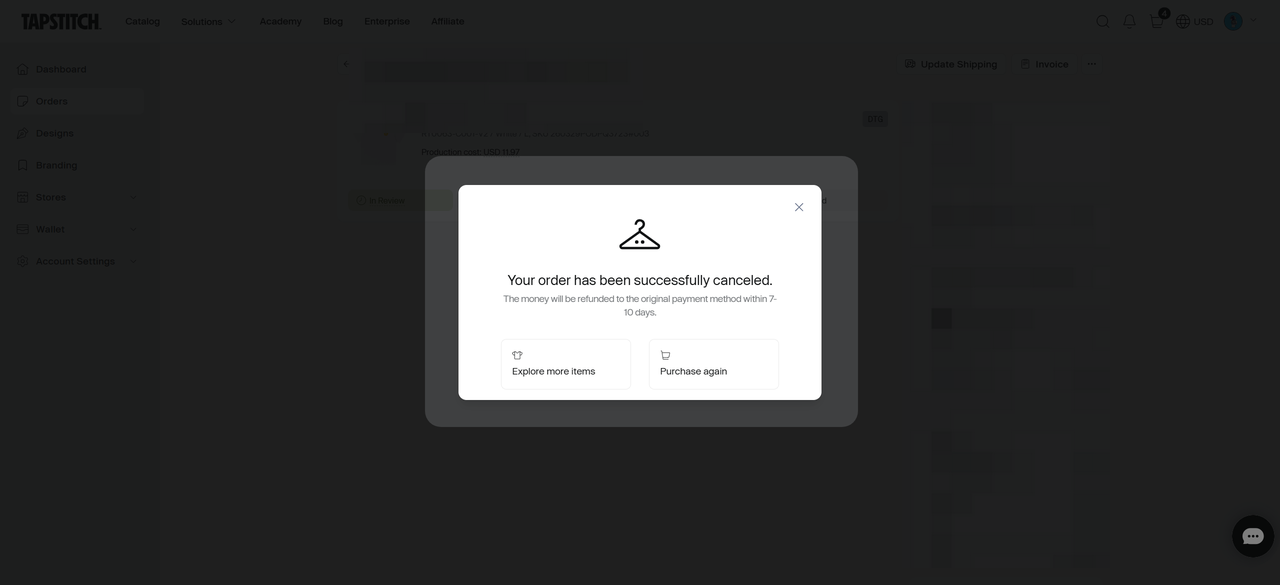
- Once the process is complete, you'll get a confirmation pop-up on the screen and an email confirming the order has been canceled and successfully refunded.
- If you are modifying your order, you can go ahead and place your new order with the correct details.
Refunds
- Processing Method: Once an eligible order is successfully canceled, your refund will be automatically processed back to your original payment method.
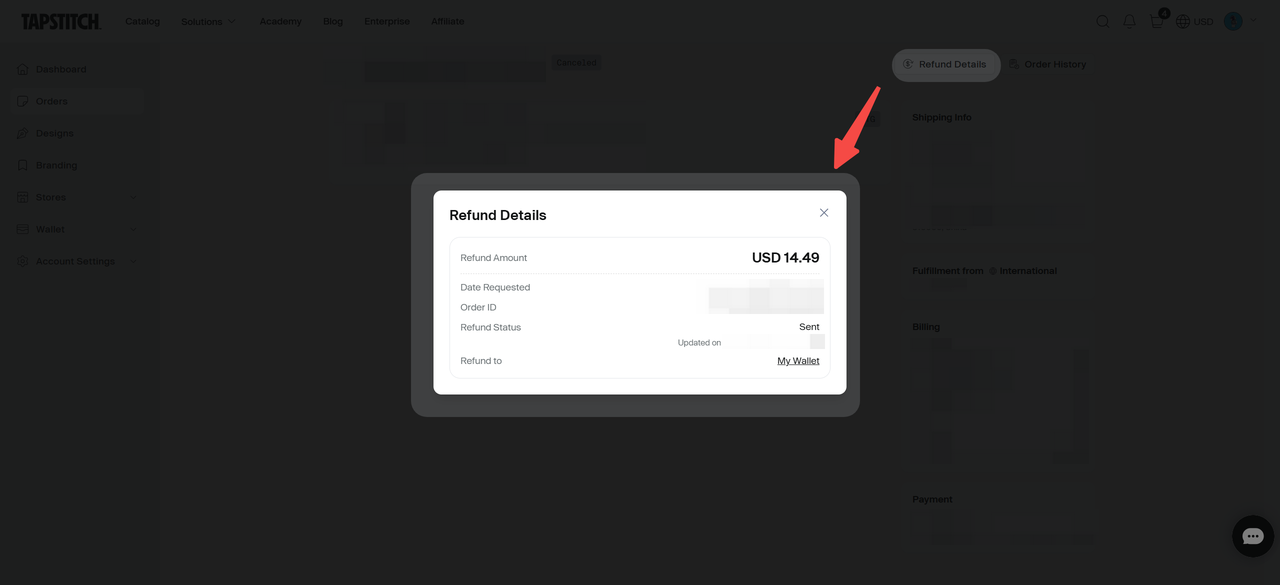
- Reviewing Status: For more details on your refund status, go to Orders → Select the order → View Refund Details in the top-right corner of the page.
- Processing Times: Refund times vary by payment provider, typically taking 5-10 business days.
Pro Tips & Exceptions
- Double check your order quantity, sizing, and colors before you place your order.
- Changes to the shipping address or delivery methods: For changes involving shipping address or delivery method after payment, follow the step here: How to update shipping information after payment. These updates are handled differently than product modifications.
Need Further Help?
If you have questions about the cancellation process or require immediate assistance, please reach out to our support team for help.
Was this article helpful?
4 found this helpful