Custom Insert Card Guide
August 20, 2026 · Updated
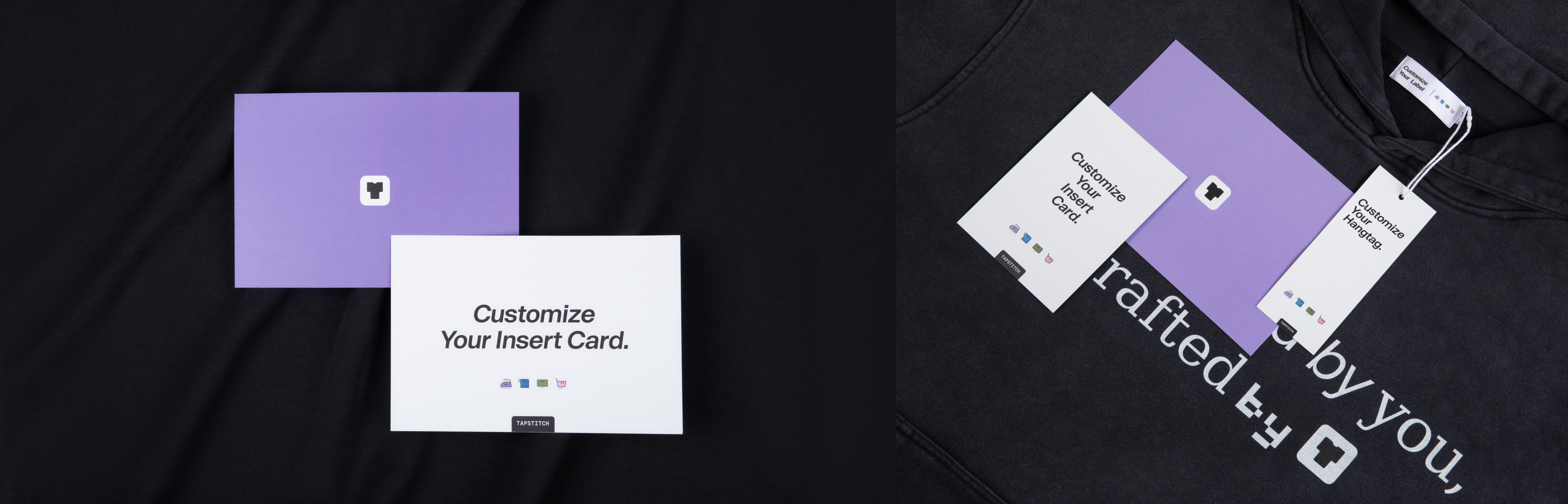
Insert Cards let you include a branded card in each order package to share brand messages, thank-you notes, or promotional content and enhance the unboxing experience.
🔍 Service Overview
Insert cards are separate printed cards placed inside the order package and delivered with your products.
They are suitable for:
- Thank-you messages
- Social media details
- Discount codes and repurchase incentives
- Campaign announcements and brand storytelling
📐 Specifications
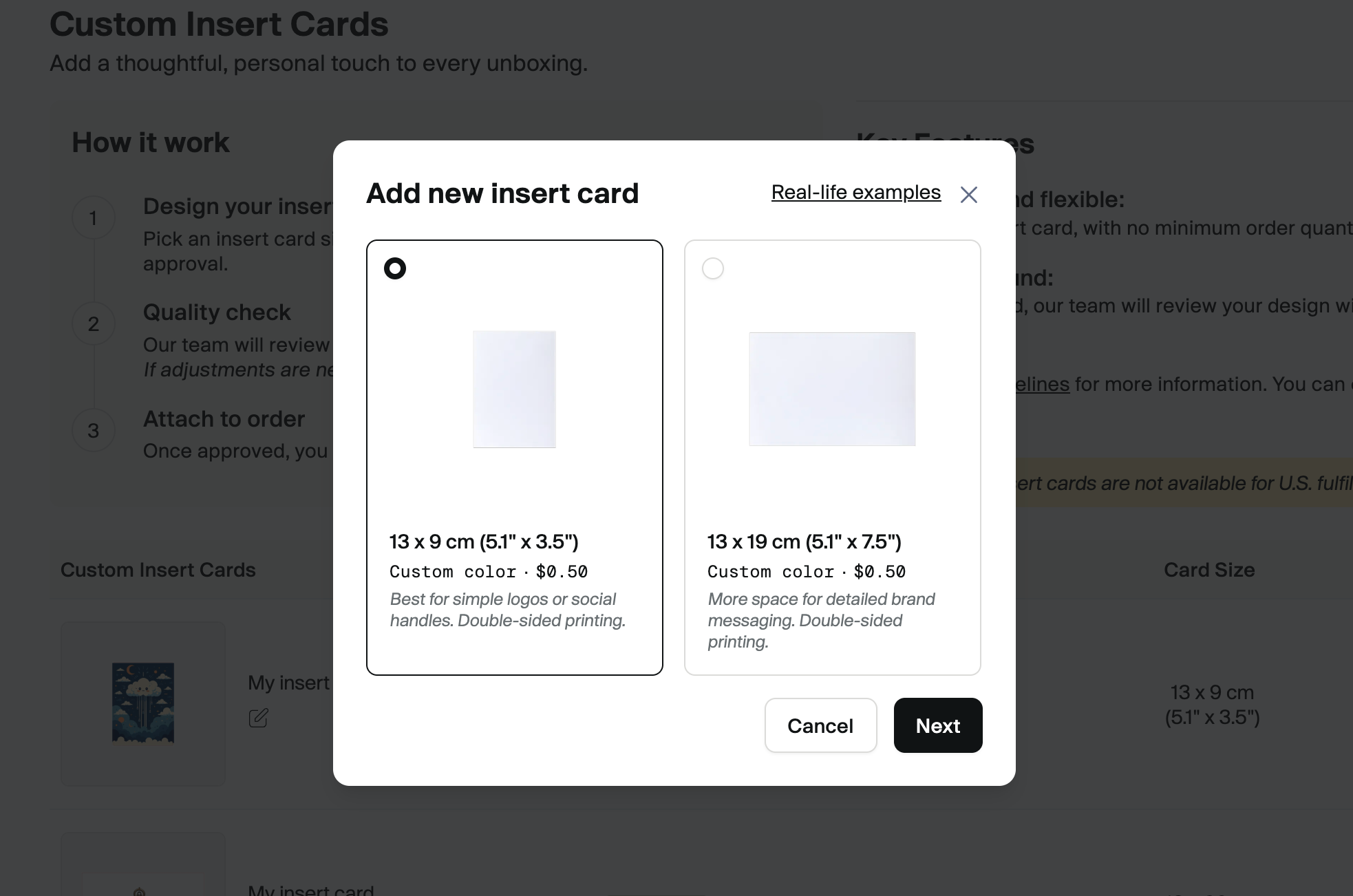
Two size options are currently available:
1️⃣ 13 × 9 cm (5.1" × 3.5")
- Suitable for simple logos or social handles
- Material: 350gsm premium cardstock
- Finish: Laminated (water and scratch resistant)
- Base color: White
- Printing: Double-sided printing supported
2️⃣ 13 × 19 cm (5.1" × 7.5")
- Ideal for detailed brand messaging
- Material: 350gsm premium cardstock
- Finish: Laminated (water and scratch resistant)
- Base color: White
- Printing: Double-sided printing supported
Final options and pricing are subject to the details displayed on the page.
🎨 How to Create an Insert Card
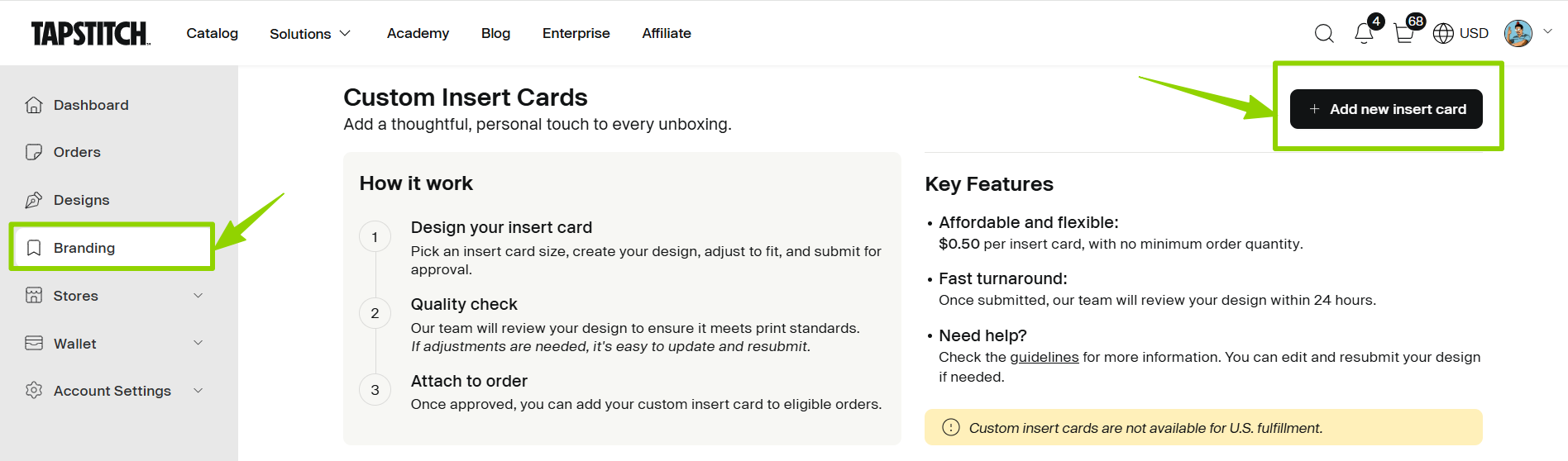
To get started, follow this path:
Profile Icon → Branding → Insert Cards → Set up now → Add New Insert Card
Select your preferred size to enter the design page.
🖌 Designing Your Insert Card
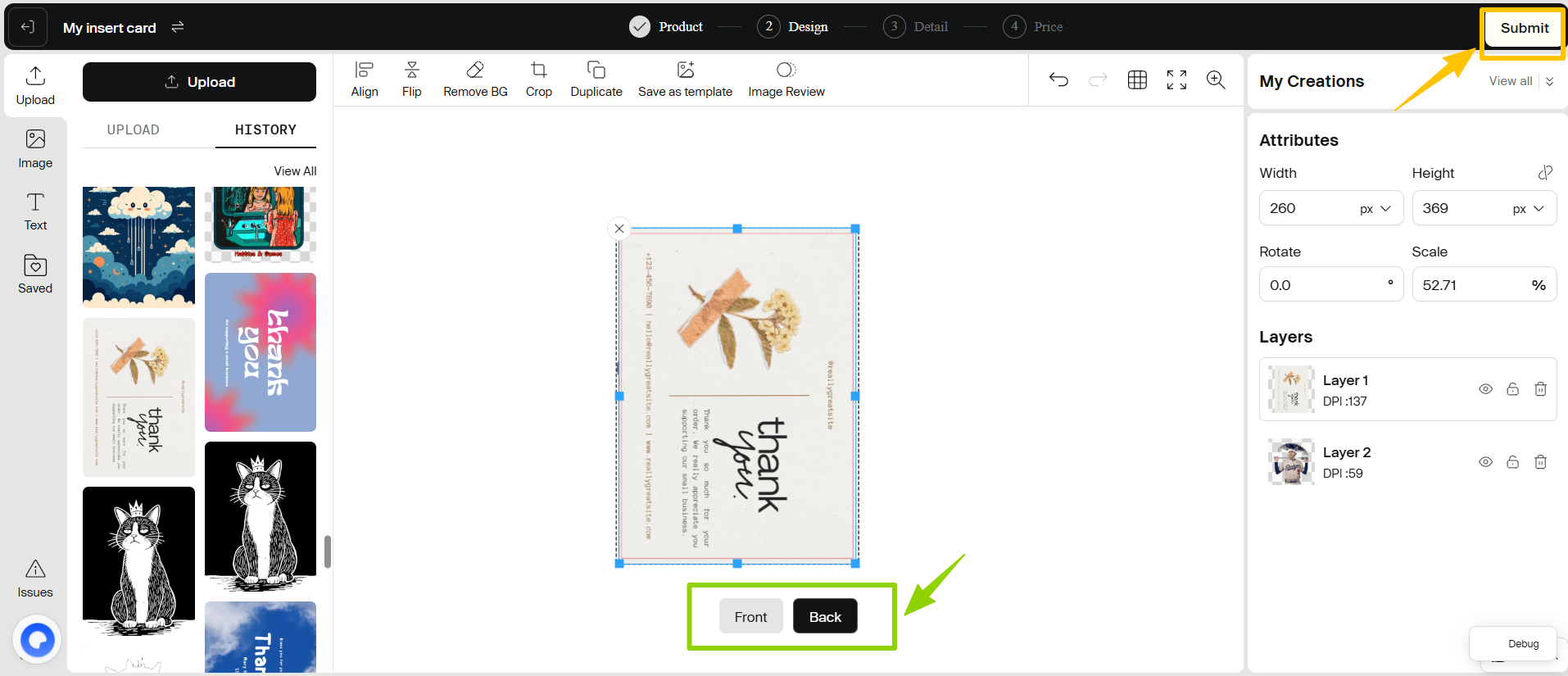
In the design editor, you can:
- Design the front side
- Design the back side (optional)
- Upload your own images
- Edit and adjust the design
Once your design is complete, click Submit.
A confirmation message will indicate that your design has been saved successfully.
⚠️ Design Guidelines
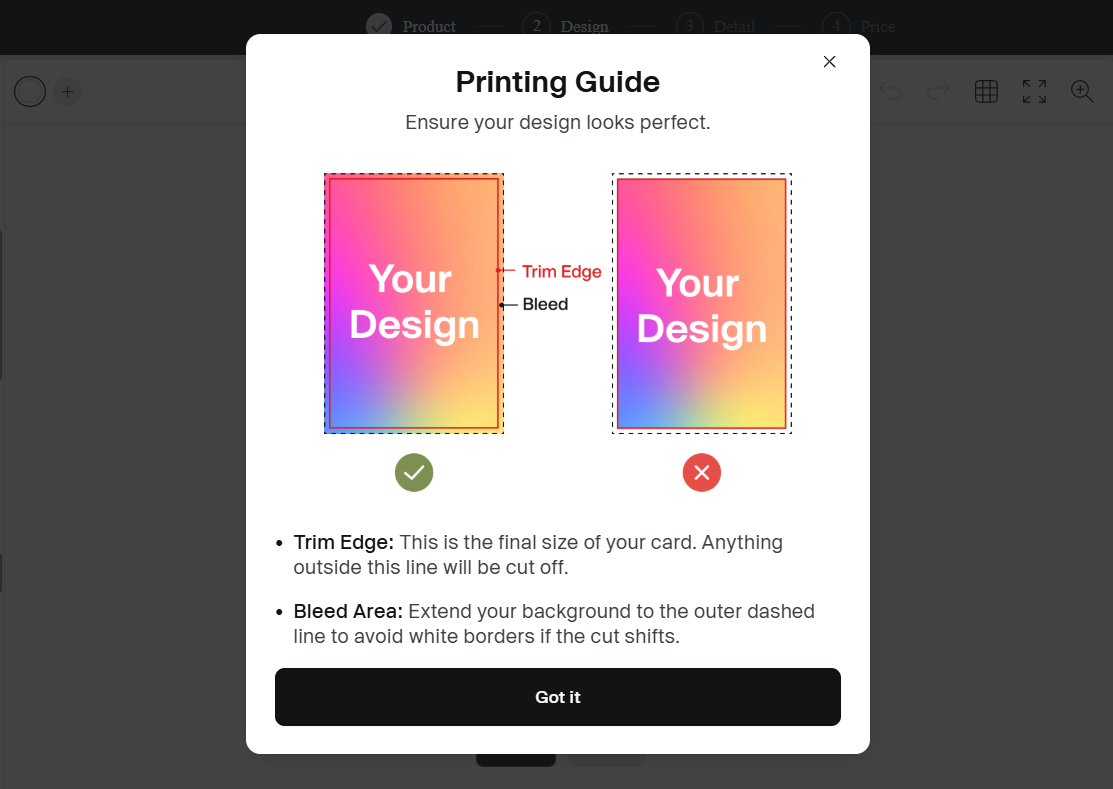
Insert cards include a bleed area to allow for cutting tolerance.
To ensure optimal print results:
- Safe Area: Keep logos and important text within the safe area.
- Full Bleed: Extend background graphics fully to the edges to avoid unwanted white borders.
- Margins: We recommend leaving sufficient margins when placing key elements.
✅ Review Process
After saving your design, your insert card will enter the review process.
Once approved, you will receive an email notification, and the status in your Insert Cards list will update accordingly.
After approval, the insert card can be added to orders.
📦 How to Add an Insert Card to Orders
Insert cards are configured at the order level. You can add them using the following methods:
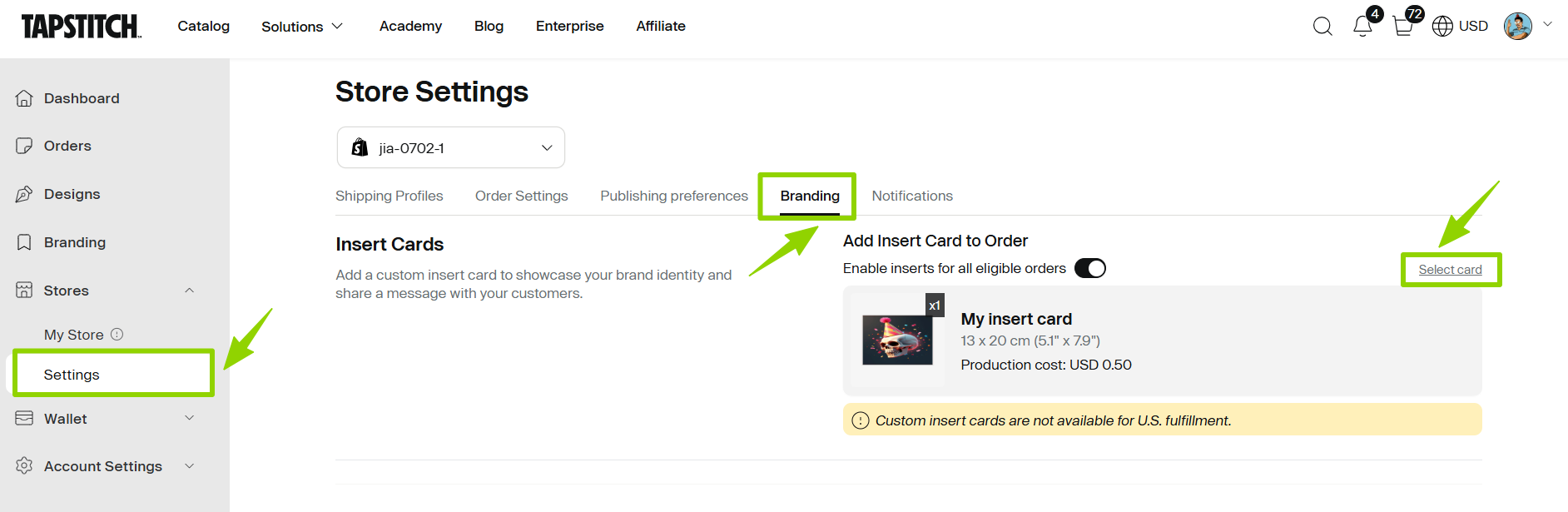
Set a Default Insert Card in Store Settings
Navigation Path:
Profile Icon → Store Setting → Branding
- Select one insert card to serve as the default for your store
- The default quantity is set to 1 per package
- All newly created orders will automatically apply this setting
Add in Checkout or Order Pages
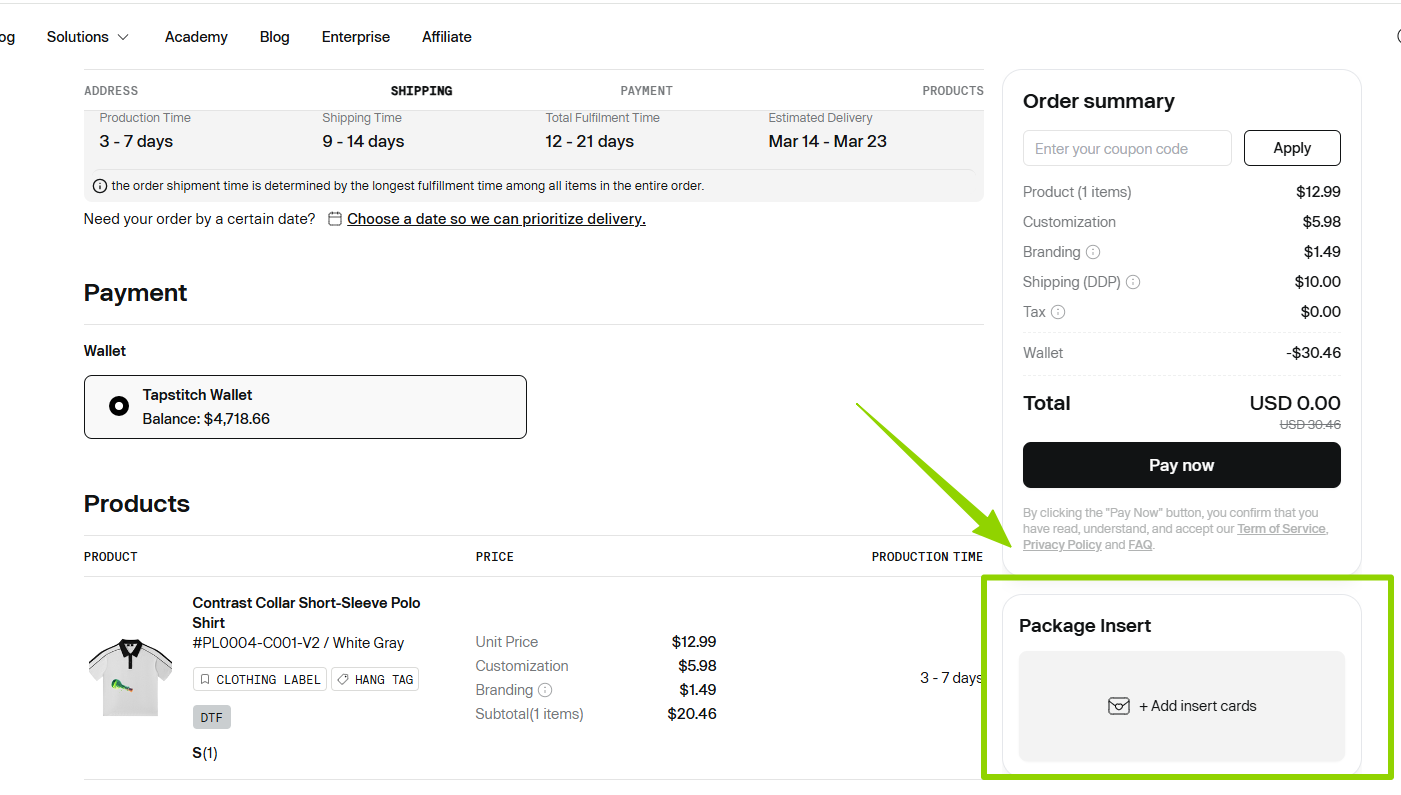
In Checkout, Draft orders, or On-hold orders:
- Go to the Package Insert section
- Select your insert card
- Confirm your selection
Each order supports one insert card.
❓ FAQ
1. Are insert cards charged per item or per order?
Insert cards are charged per order. Each order supports one insert card.
2. How long does the review process take?
After submission, your insert card enters the review process. You will receive an email once it is approved, and the status will update in your Insert Cards list.
3. Can I edit an approved insert card?
No. After an insert card is approved, editing is no longer available. If any updates are needed, please remove the approved design and create a new one.
4. Will deleting an insert card affect existing paid orders?
No. Deleting an insert card only affects future orders and does not impact orders that have already been placed and paid.
5. Are insert cards supported for US fulfillment orders?
Currently, insert cards are not available for orders fulfilled through US fulfillment.
6. Can I add an insert card after placing an order?
Insert cards and other brandings must be submitted at the time the order is placed. Once an order has been submitted, we are unable to add an insert card to that order. To ensure your branding is included, please upload and select your hangtag during the order creation process.
7. How are insert cards priced?
Insert cards are charged per piece and only incur costs when included in an order. If no insert card is selected, no additional fee will be applied. All branding-related costs will be clearly displayed at checkout.
Was this article helpful?
66 found this helpful