How can I connect my Squarespace store?
September 24, 2026 · Updated
Step 1: Create a website on Squarespace
To begin, make sure you have created a website on Squarespace, where you can create multiple websites under one Squarespace account.
Step 2: Create a store page within the website
Generate a store page within the website you've established, where all the products you've published will be showcased. You have the flexibility to name the page "Products," "Shop," or something similar. Some website templates may already come with such a page.
You may utilize theSquarespace guideto assist you in finishing the setup.
Step 3: Connect your Squarespace store to Tapstitch
- In Tapstitch, navigate to Dropshipping, Choose the Squarespace option, then click Link. !
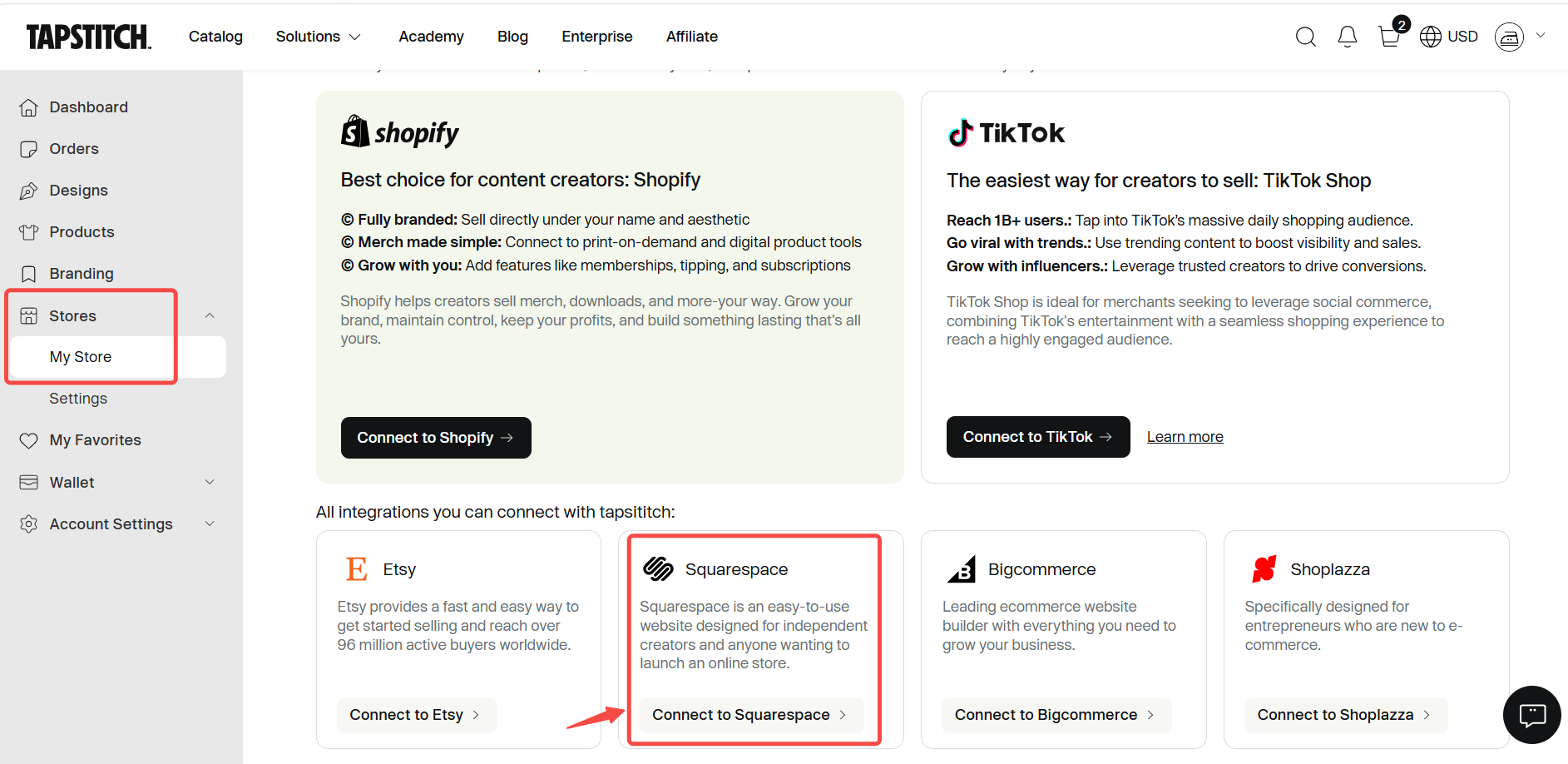
- ClickConnect Squarespace

- You can just log in or sign up for your Squarespace account
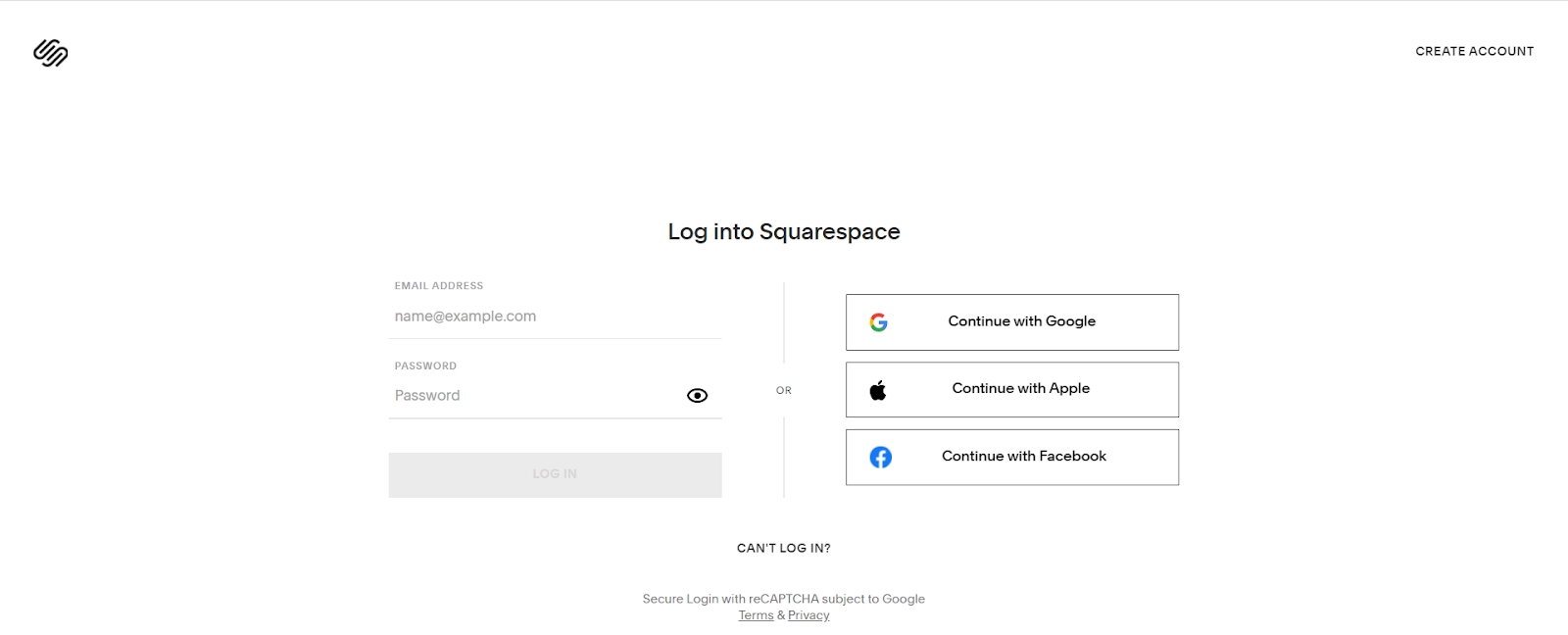
- Select that you want to connect Tapstitch
That’s it — That's linked to your Squarespace store! Now you can publish products to your Squarespace store and manage all your orders from Tapstitch.
Was this article helpful?
15 found this helpful