The Basics of Address Formatting
June 24, 2025 · Updated
Section 1: Address Line 1
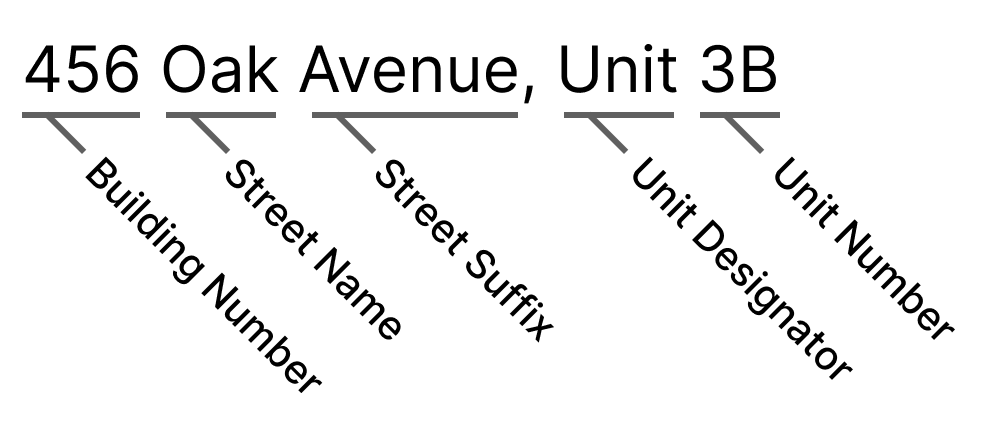
- Begin with your house or building number, followed by the street name.
- Include any apartment, flat, or unit number if applicable. (In cases where the apartment number is lengthy or a second identifier, it may be moved to Address Line 2.)
Examples of Correct Formatting:
- 123 Main Street, Apt 4A
- 456 Oak Avenue, Unit 3B
Examples of Incorrect Formatting:
- Avoid including unnecessary directional words like "Upper" or "Lower" unless they are part of the official street name.
Section 2: Address Line 2
- If you have included your apartment or unit number in Address Line 1, leave Address Line 2 blank.
- If you only provided your street address in Address Line 1, use Address Line 2 to specify your apartment or unit number (e.g., Apt 3F).
Section 3: City
- Choose your city from the drop down.
- If you can’t find your city, you can enter it manually. Enter the name of the city, town, or village without including the state or province.
Section 4: State/Province
- Choose your state or province from the drop down.
- If you are located in a region that does not utilize the concept of a "state" or "province" within its administrative divisions, you may leave the "State/Province" field on our address form blank.
Section 5: Postal Code
- Provide the correct postal or zip code for your location. If uncertain, online search engines can assist in finding the right code.
Important Tips:
- Always double-check your address for accuracy to prevent delivery errors.
- Be aware of specific address format requirements for your country or region and adhere to local postal service standards.
Was this article helpful?
3 found this helpful