How can I integrate my Shopify store?
August 07, 2026 · Updated
Connecting from Tapstitch Step 1.
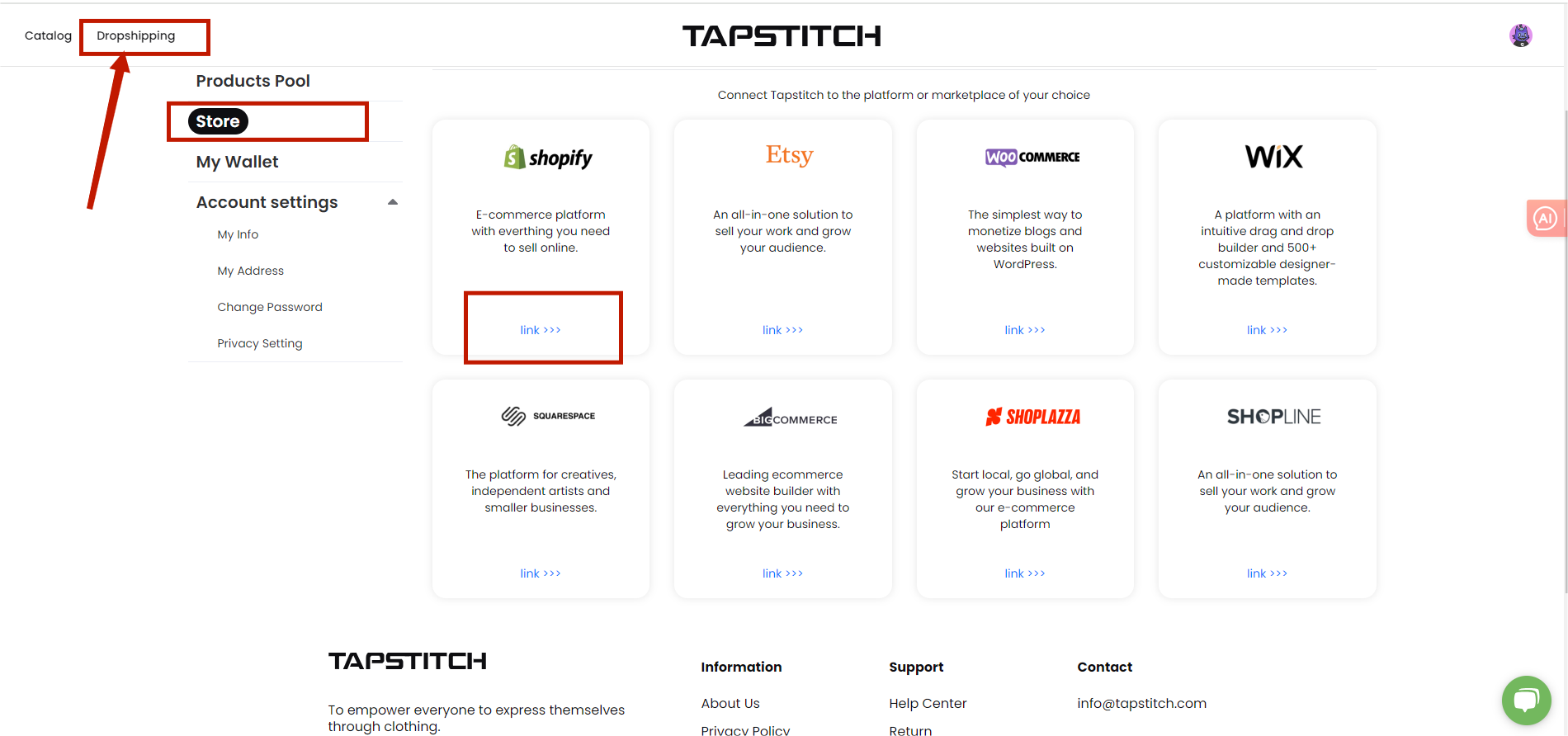
- Open Tapstitch's website.
- Click the "Dropshipping" button.
- Click the "link" button.
Step 2.
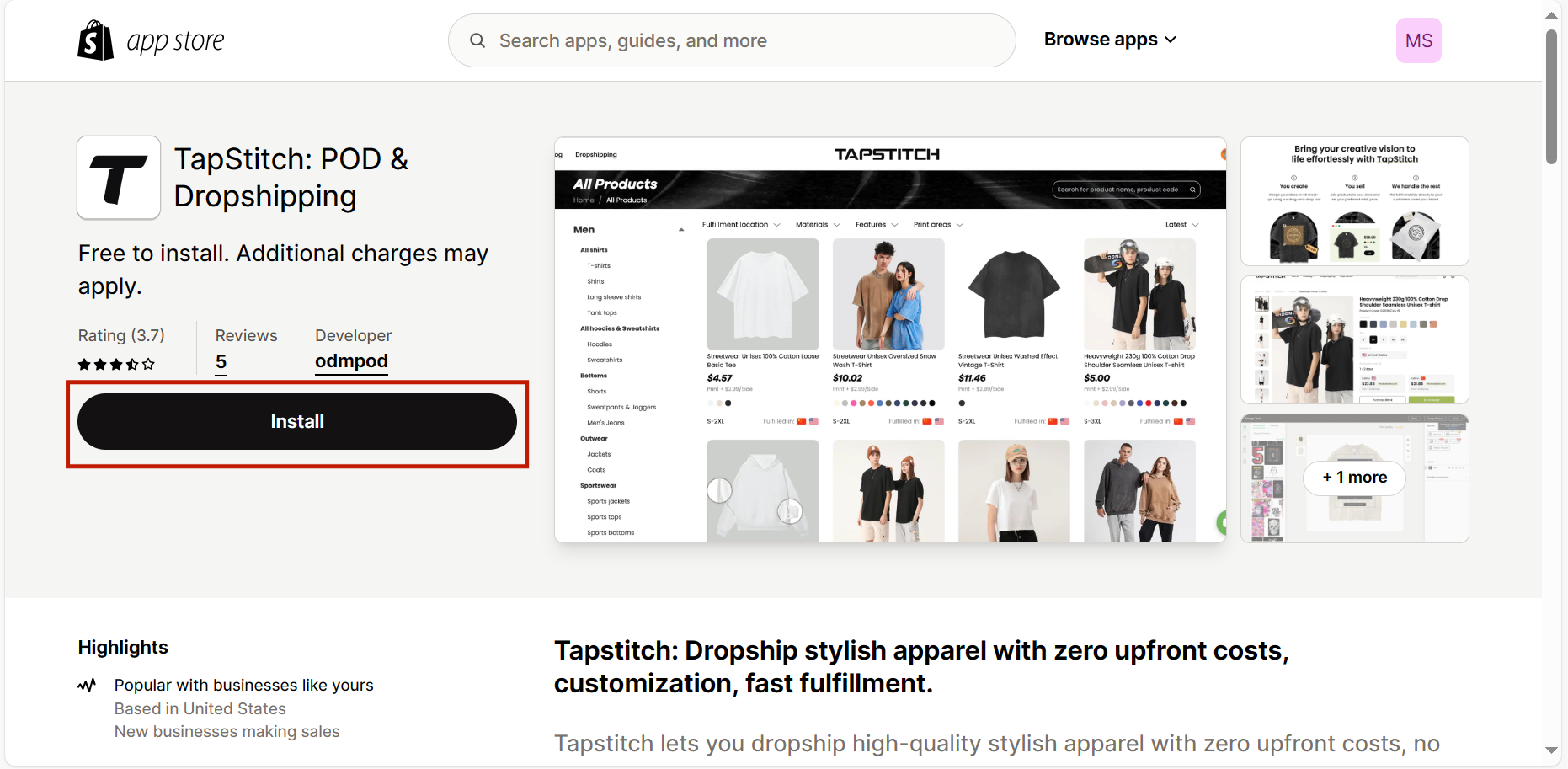
- Click "Install".
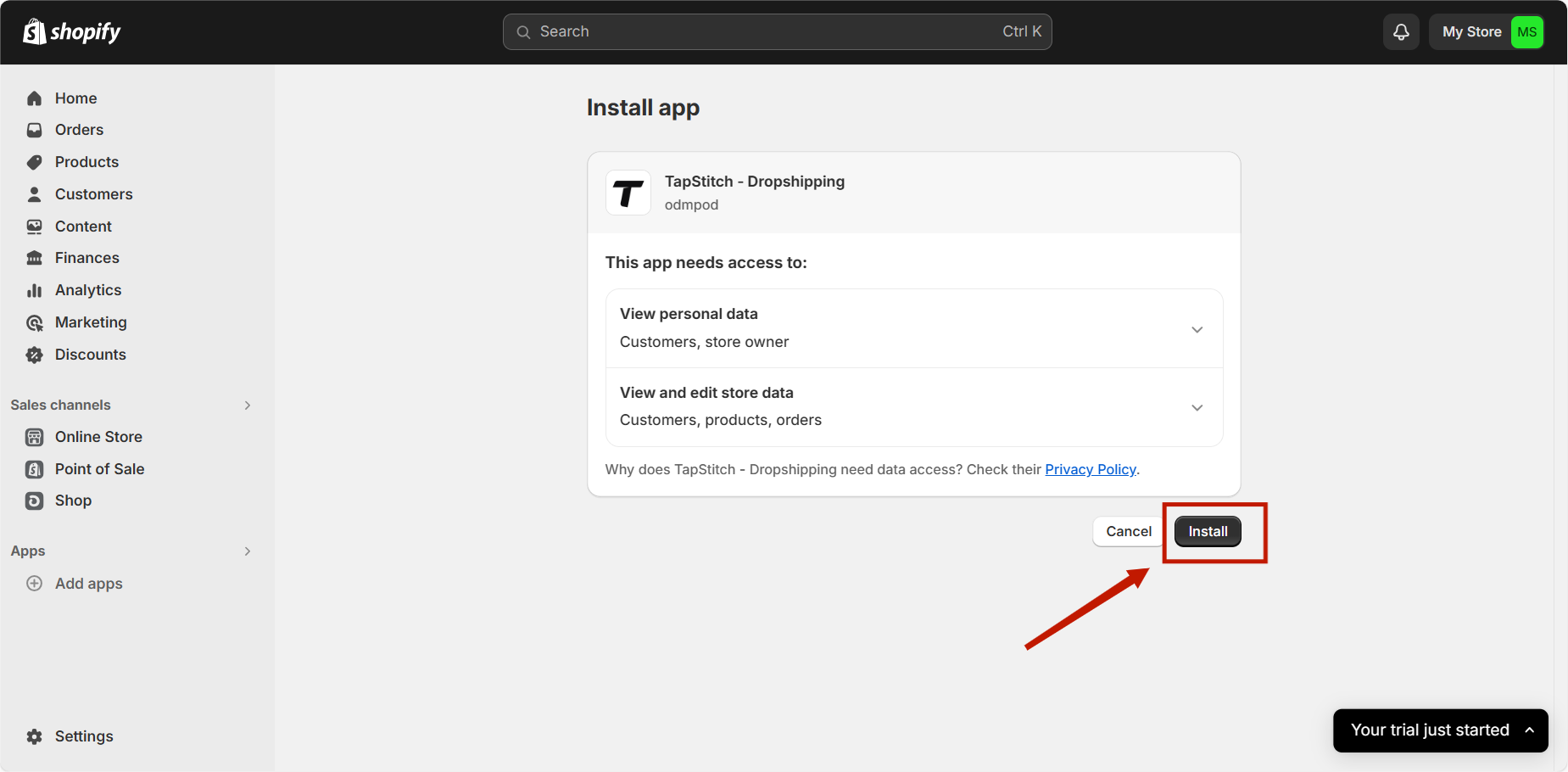
Step 3.
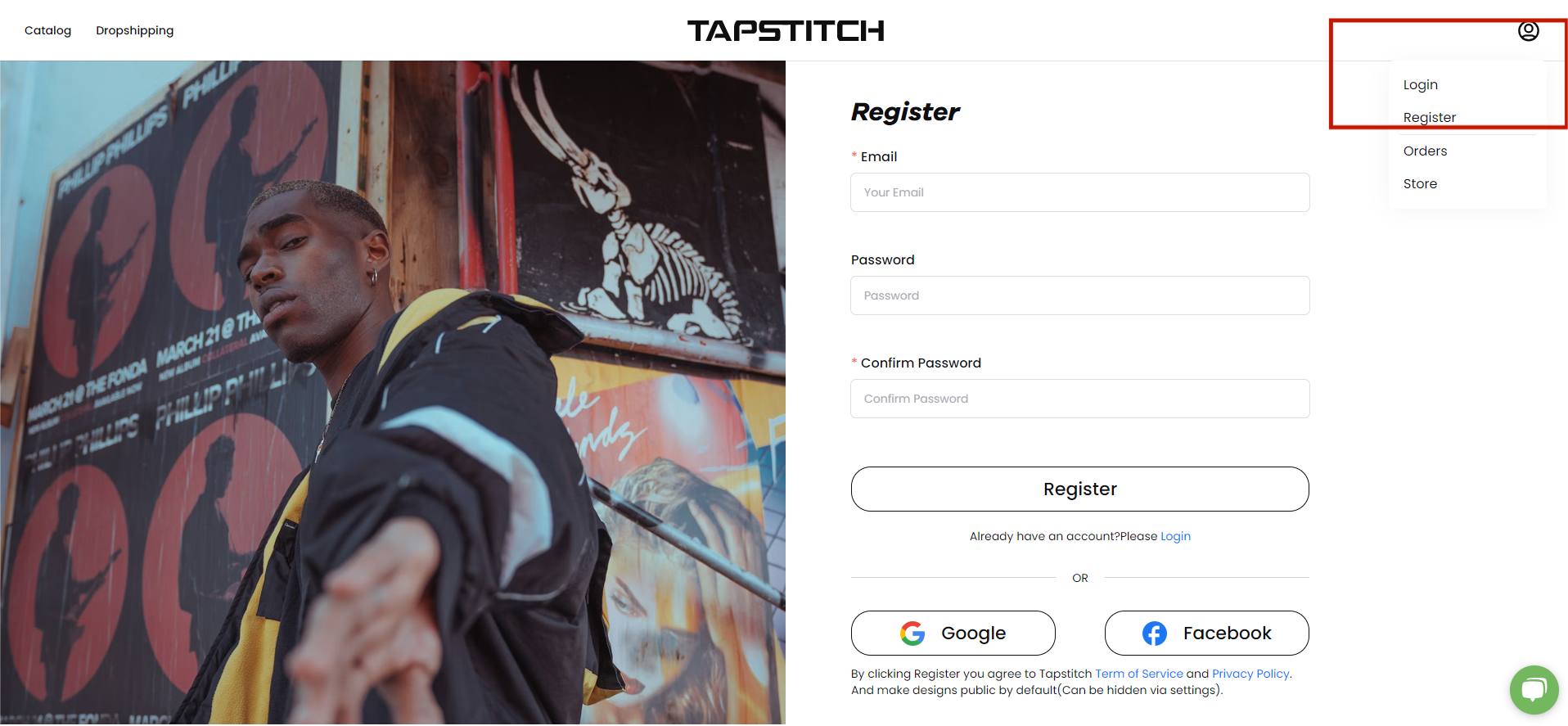
- Login to or register with Tapstitch to complete the integration.
Connecting from Shopify Step 1.
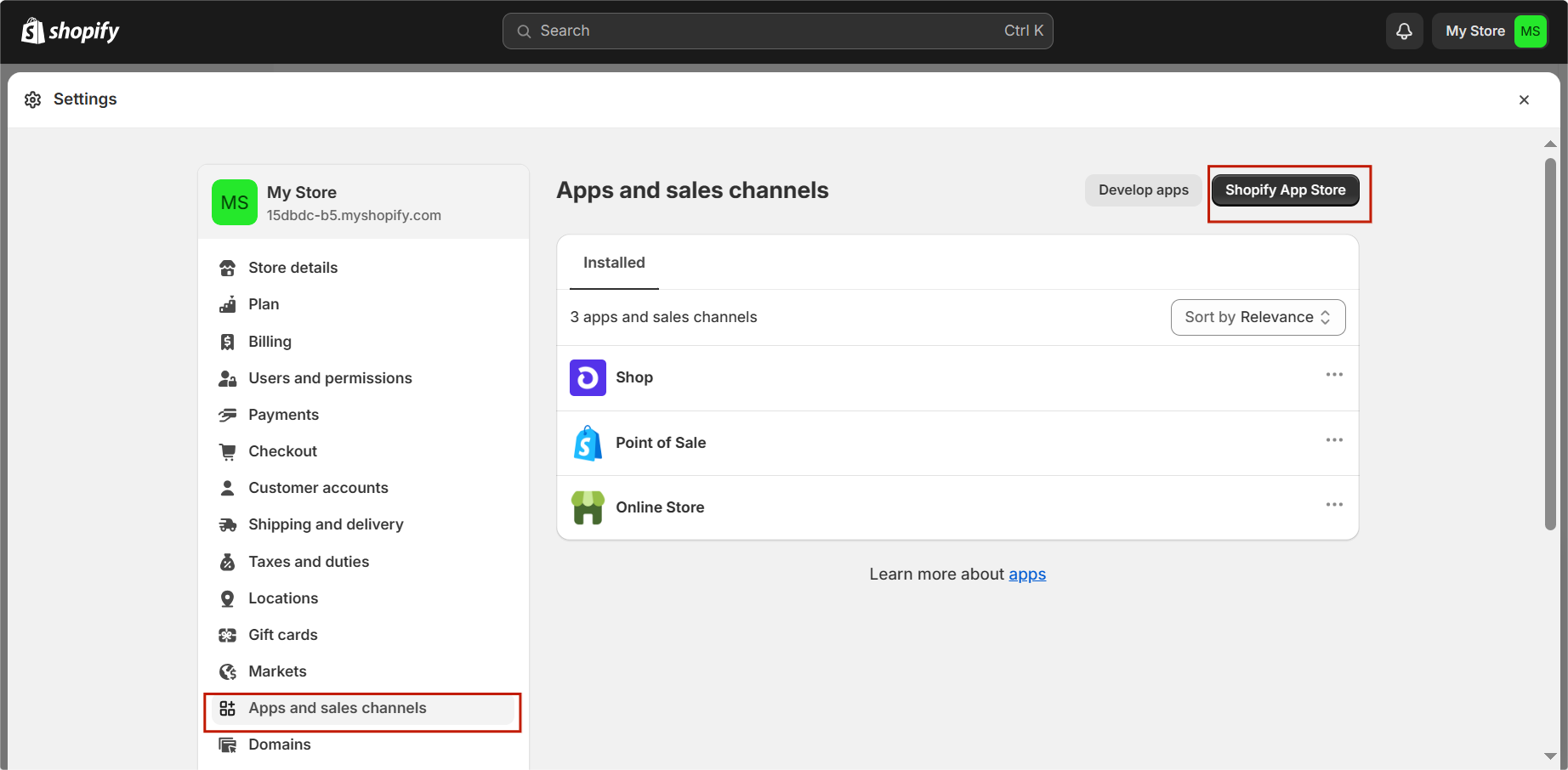
- Find "Apps and sales channels" in the left bar of your Shopify page.
- Click "Shopify App Store" in the upper right corner.
Step 2.
- Log in to your Shopify account.

Step 3.
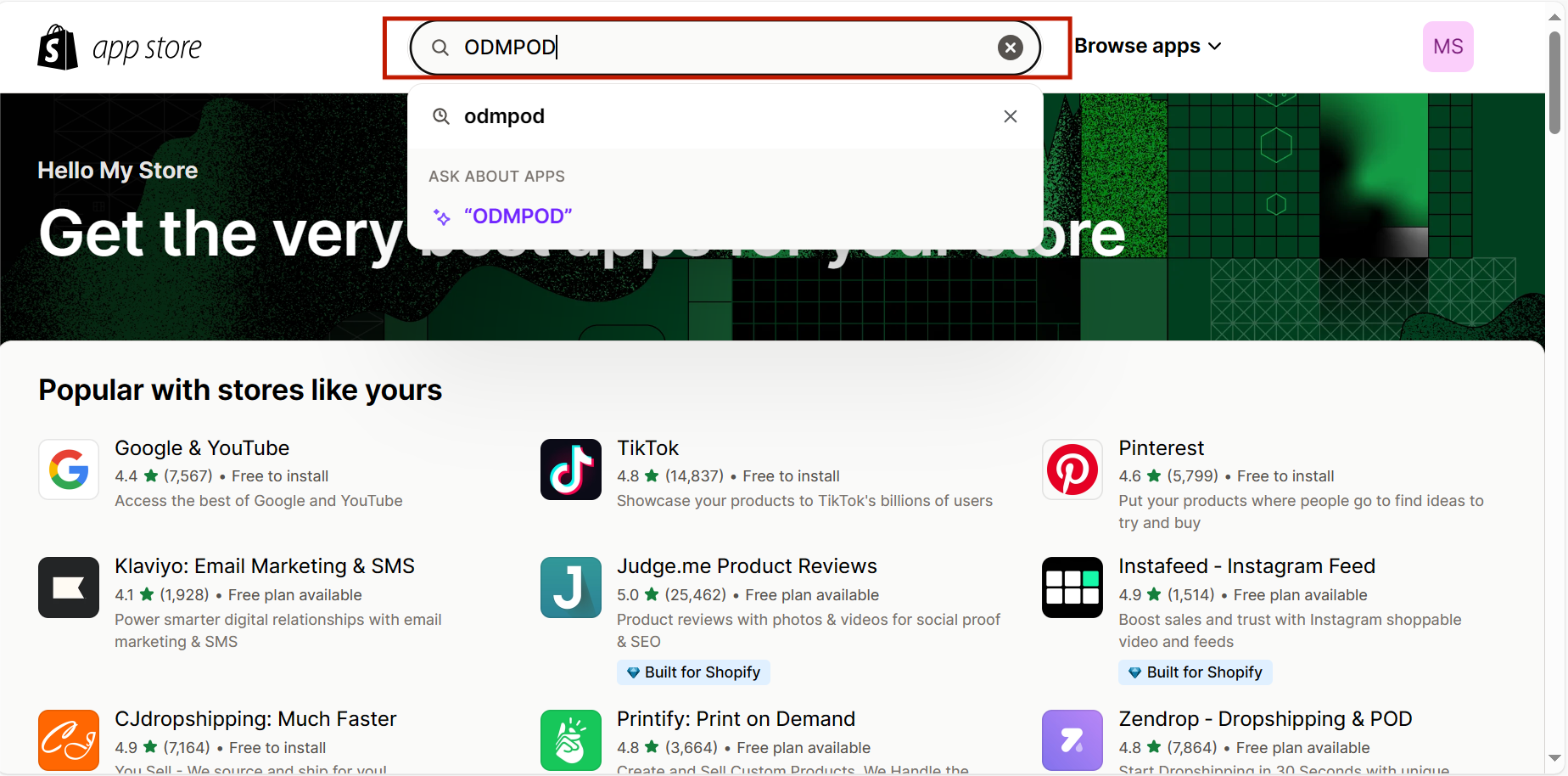
- Enter "Tapstitch" or "ODMPOD" in the search bar.
Step 4.
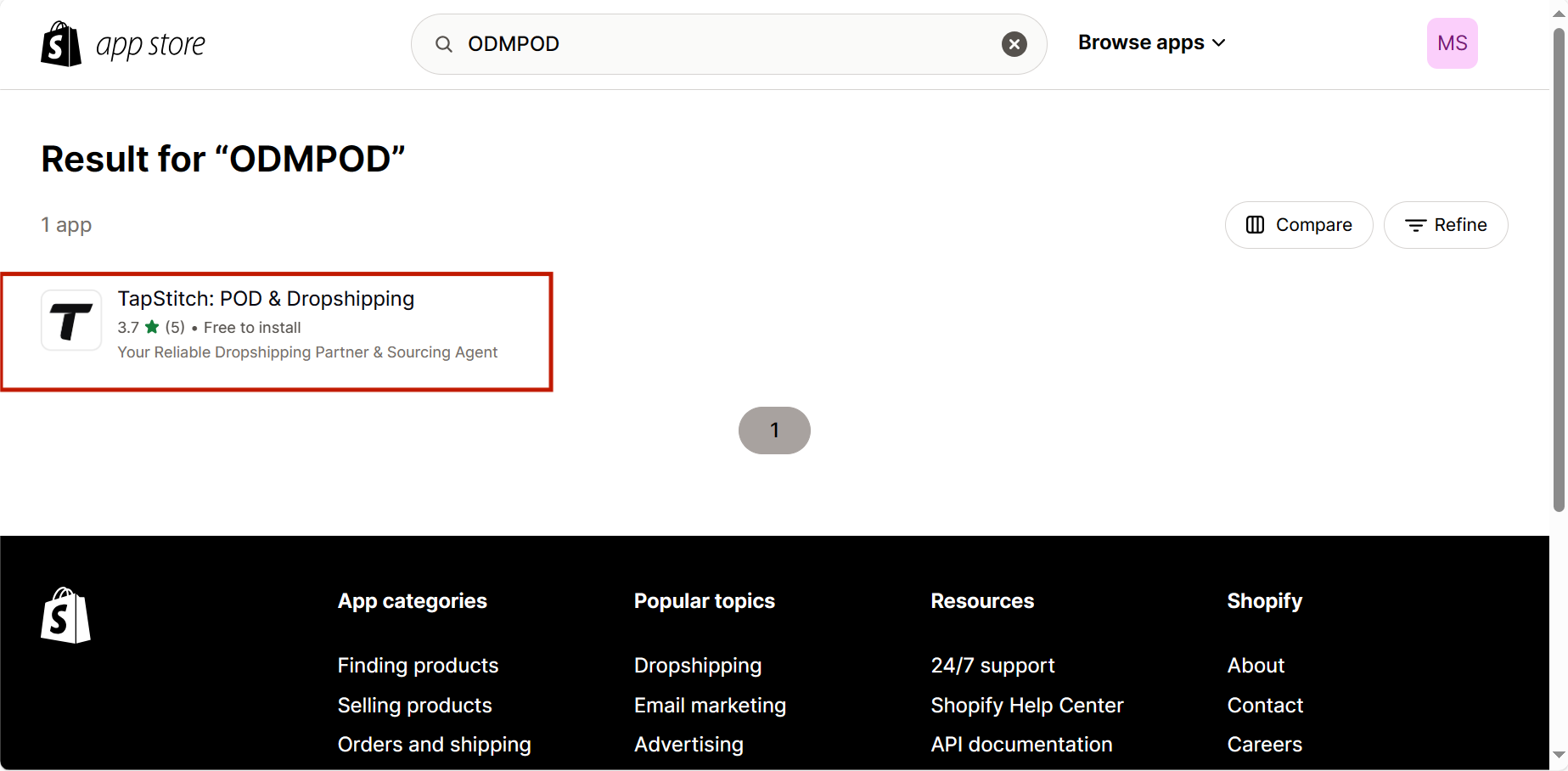
- Select Tapstitch
Step 5.
- Click "Install".
Step 7.
- Login to or register with Tapstitch to complete the integration.
Was this article helpful?
34 found this helpful