Multi-Currency Payments Guide
July 01, 2026 · Updated
💡 What is the Multi-Currency Feature?
With the new multi-currency feature, you can freely choose your preferred currency to browse product prices and complete payment in the same currency. This helps you avoid confusion between display prices and checkout amounts, ensuring a smoother shopping experience.
Currently, we support the following currencies:
- 🇺🇸 USD – US Dollar
- 🇦🇺 AUD – Australian Dollar
- 🇨🇦 CAD – Canadian Dollar
- 🇬🇧 GBP – British Pound
- 🇪🇺 EUR – Euro
📖 Catalog Currency
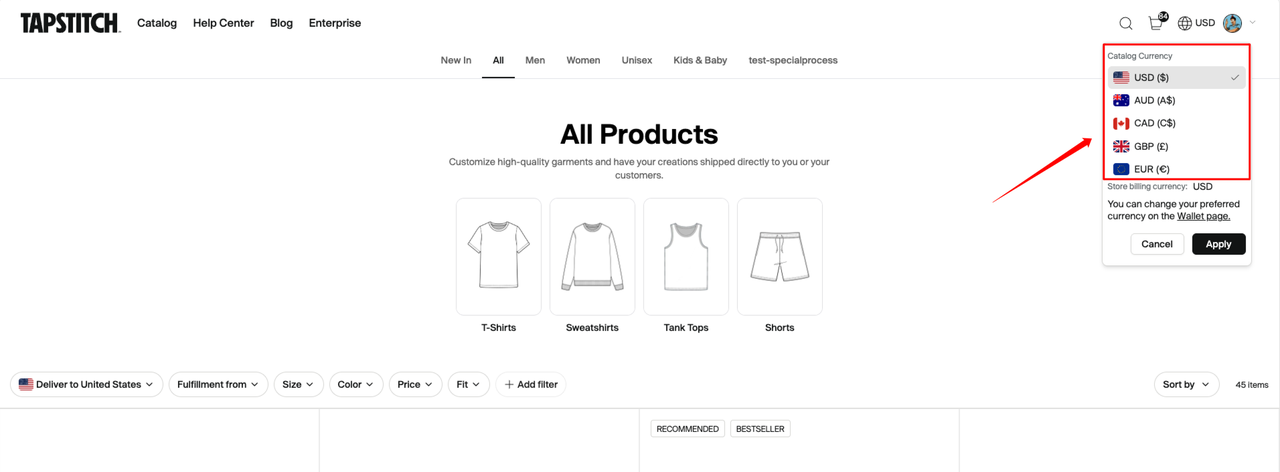
- What it is: Catalog Currency determines how all prices are displayed on the website (products, shipping, customization, service fees, taxes, etc.).
- How to change:
- Click the Currency Selector in the top navigation bar.
- Choose your preferred currency (USD, AUD, CAD, GBP, EUR).
- Click Apply – all prices will refresh immediately.
- Note: Catalog Currency also determines the currency shown and used at checkout for POD orders.
💳 Store Billing Currency
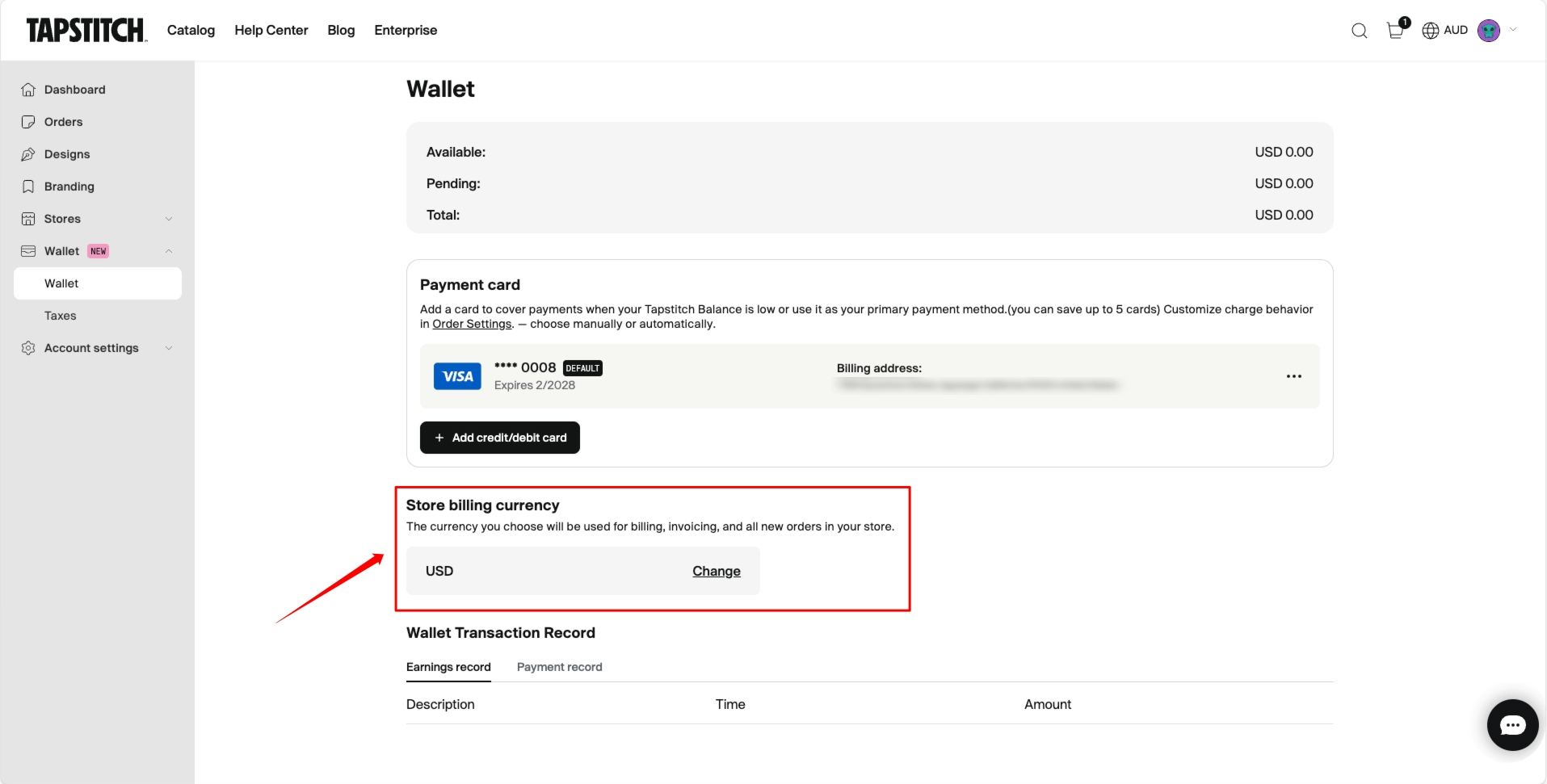
- What it is: Store Billing Currency is the currency used to settle and issue invoices for store-synced orders (e.g. Shopify, Etsy). It does not affect POD orders.
- How to change:
- Go to Wallet → Store Billing Currency.
- Select your preferred Store Billing Currency (USD, AUD, CAD, GBP, EUR).
- Save – all store-synced orders under your account will be settled in this currency.
🛒 Checkout & Payment (POD orders)
- For POD orders, the checkout currency = the Catalog Currency you select.
- All fees (products, shipping, customization, service fees, taxes, discounts) are calculated in this currency.
- The actual charge and invoice are also issued in the chosen Catalog Currency.
👛 Wallet & Refunds
- Wallet balance can only be used for USD orders.
- Refunds are always returned in the original payment currency via the original payment method.
- Example: If you paid in EUR, your refund will also be issued in EUR. Refunds to Wallet are only available for USD orders.
❓ FAQ
Q: Does changing the catalog currency change my payment currency?
👉 Changing Catalog Currency affects POD orders: it determines the currency for draft orders in the order list and the Checkout page.
For store-synced orders, the payment currency is determined by your Store Billing Currency and is not affected by Catalog Currency.
Q: Why can’t I use my Wallet for EUR, GBP, AUD, or CAD orders?
👉 Because the Wallet balance is stored in USD only, it can only be used for USD orders.
Q: In which currency will my refund be processed?
👉 Refunds are always processed in the original payment currency and returned to the same payment method.
Was this article helpful?
5 found this helpful