How to edit products in an order
June 23, 2026 · Updated
Orders can be edited before it is paid for or submitted.
1. Which orders can be edited?
Variant editing is available for orders in the following statuses:
- Draft
- On Hold
If the order has already been paid for and submitted, the edit option will no longer be available. Before an order is submitted, you can update:
- Variant color, size, and quantity
- Variant design, neck label, and hangtag
- Add new variants from Designs, published store products, or the Catalog
- Remove variants
After you save your changes, the updated variant information will be used for checkout and fulfillment.
2. How to edit variants in an order
To edit variants:
- Go to Dashboard > Orders.
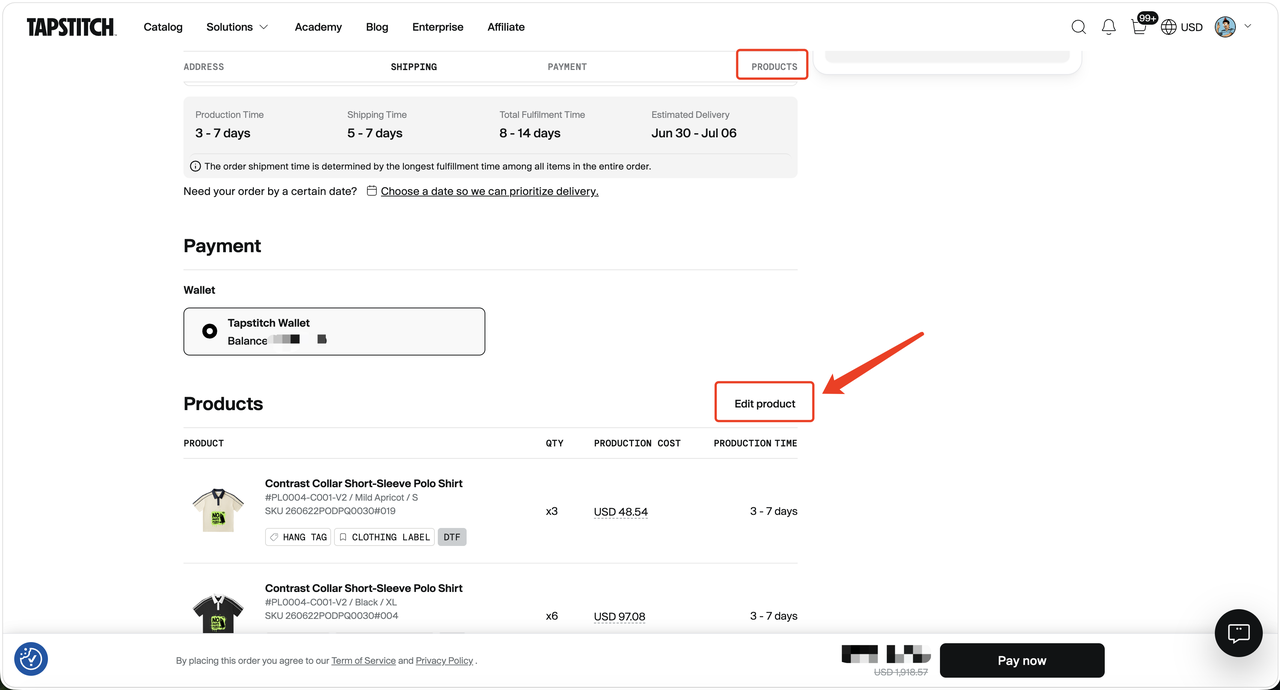
- Open the order you want to edit, then click Edit product in the Products section.
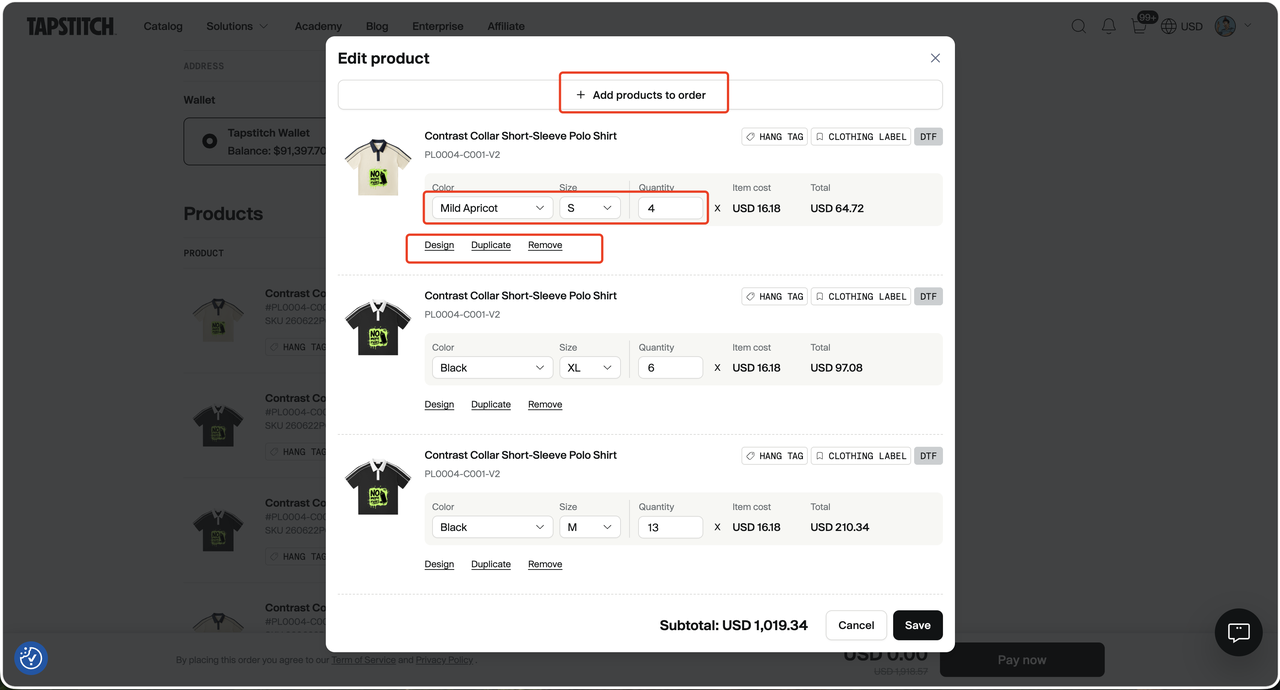
- Click Save to save your changes.
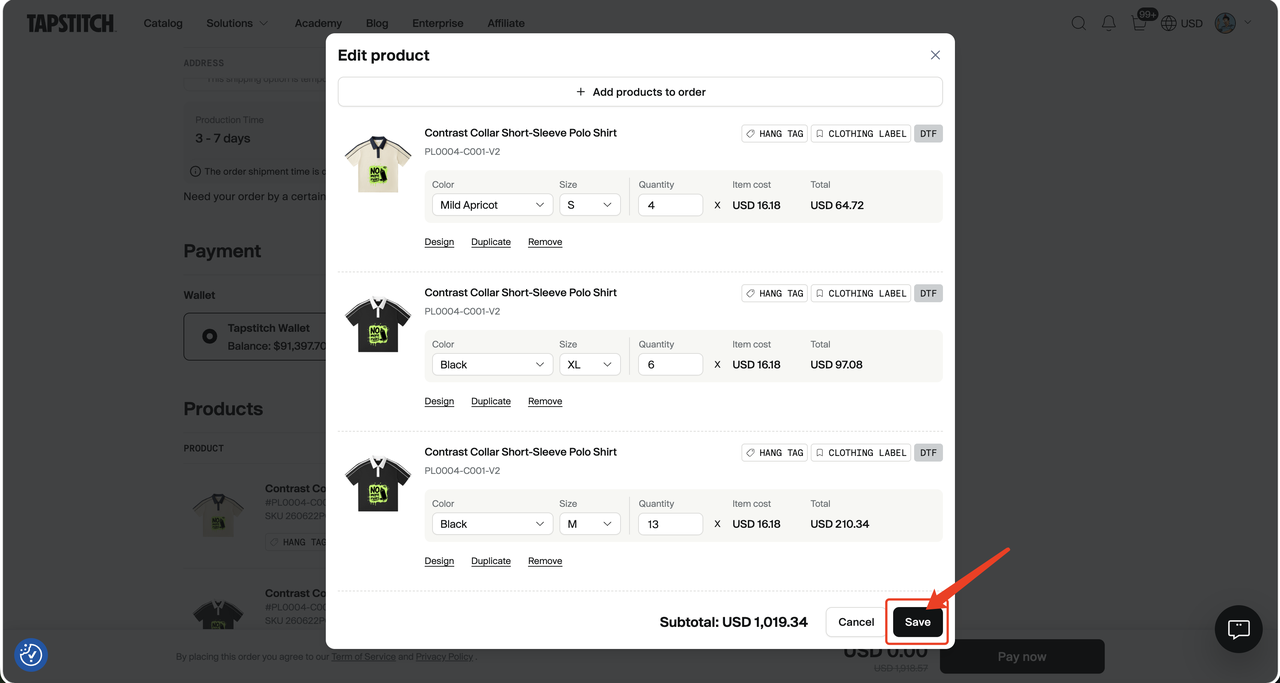
After saving, the order total and fulfillment information will be updated.
3. How to edit a variant’s design, neck label, or hangtag
Use the Design option in the product edit window to update the variant’s design, neck label, or hangtag.
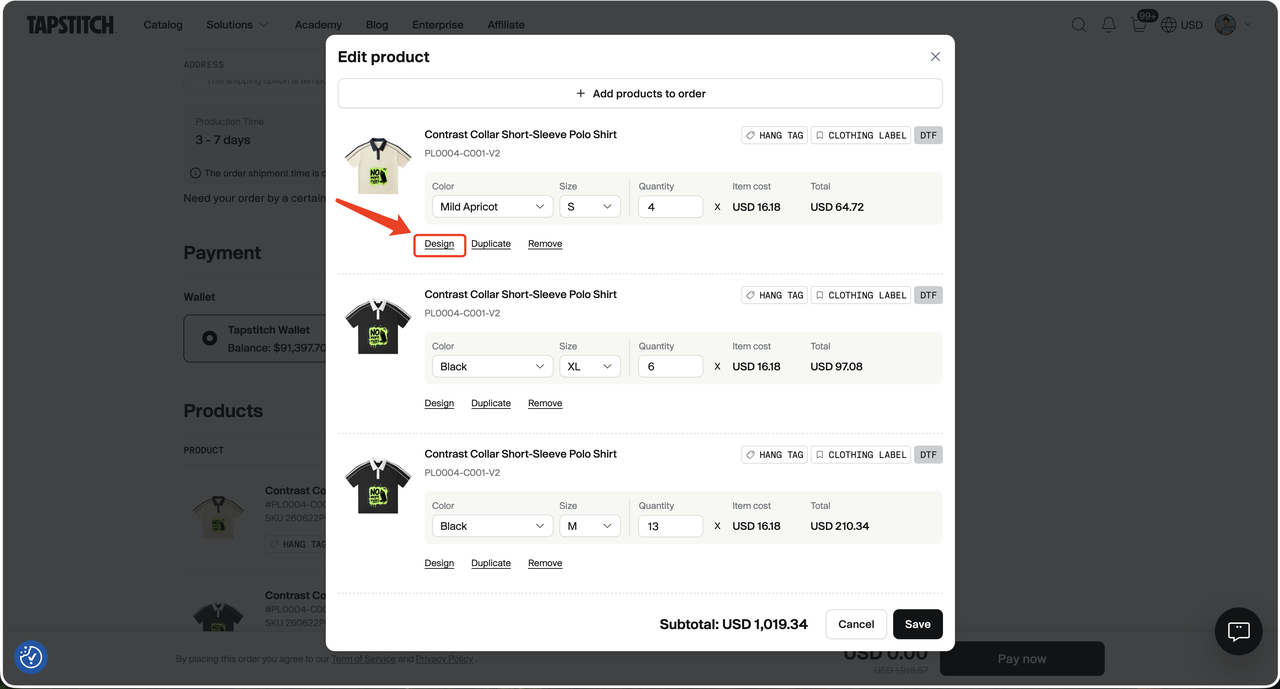
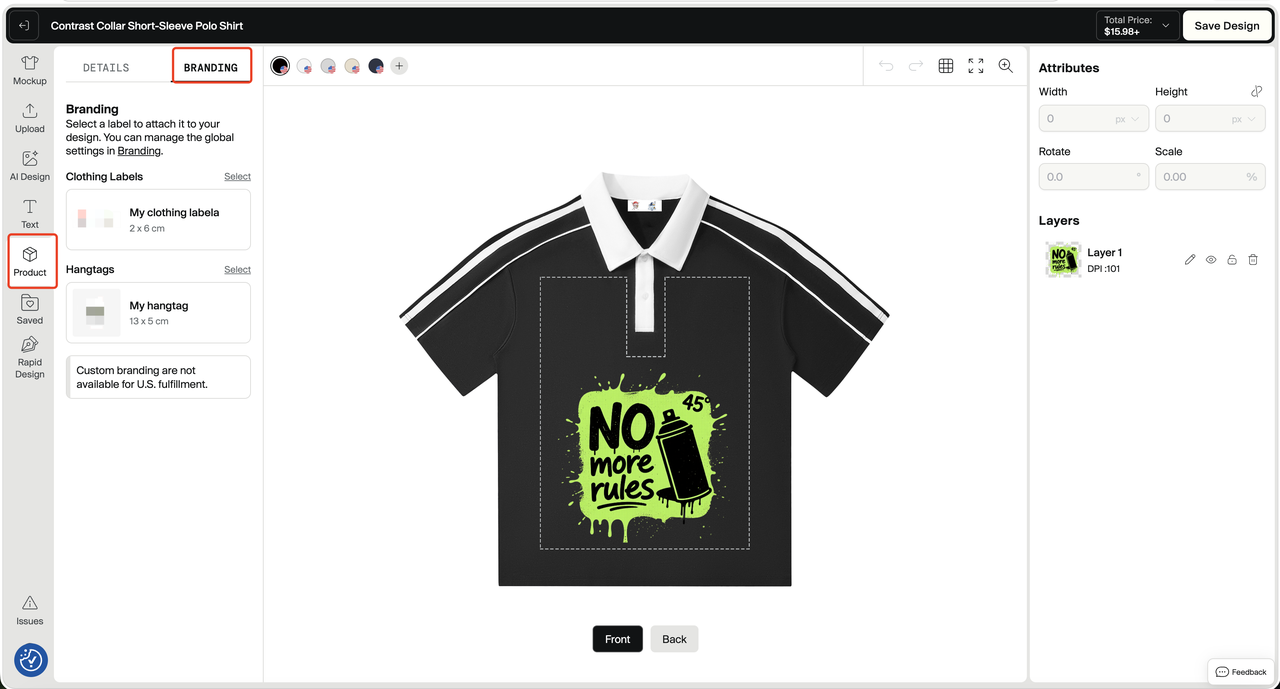
Please note:
- Changes to the design, neck label, and hangtag in the order are specific to the current order. Editing the design in the order will not update the original design of any published product, and it will not update the original design in your Design list.
- If the same design template is used by multiple variants in the order, editing that design will apply the change to all variants in that order that use the same design template.
- Design changes are saved only after you click Save in the variant edit window.
4. Important notes for editing Dropshipping order variants
Please note: For Dropshipping order synced from a connected store, changes made in Tapstitch are one-way changes and will not automatically sync back to the original order in your store.
- If you are only changing the color, size, or design, we recommend editing the original variant in the Dropshipping order. This helps maintain the connection between the Tapstitch order variant and your store order variant, so shipment tracking information can be synced later.
- If the variant quantity updated in the Dropshipping order is higher than the variant quantity in your store order, shipment information will only be synced up to the maximum quantity for that variant in your store order. Your actual order quantity will not change. We recommend manually updating the order in your store platform when needed, so the order information stays aligned in both systems.
- If you add a new variant to a Dropshipping order, the new variant needs to be linked to the product in your store order. Otherwise, shipment tracking information may not sync to your store order.
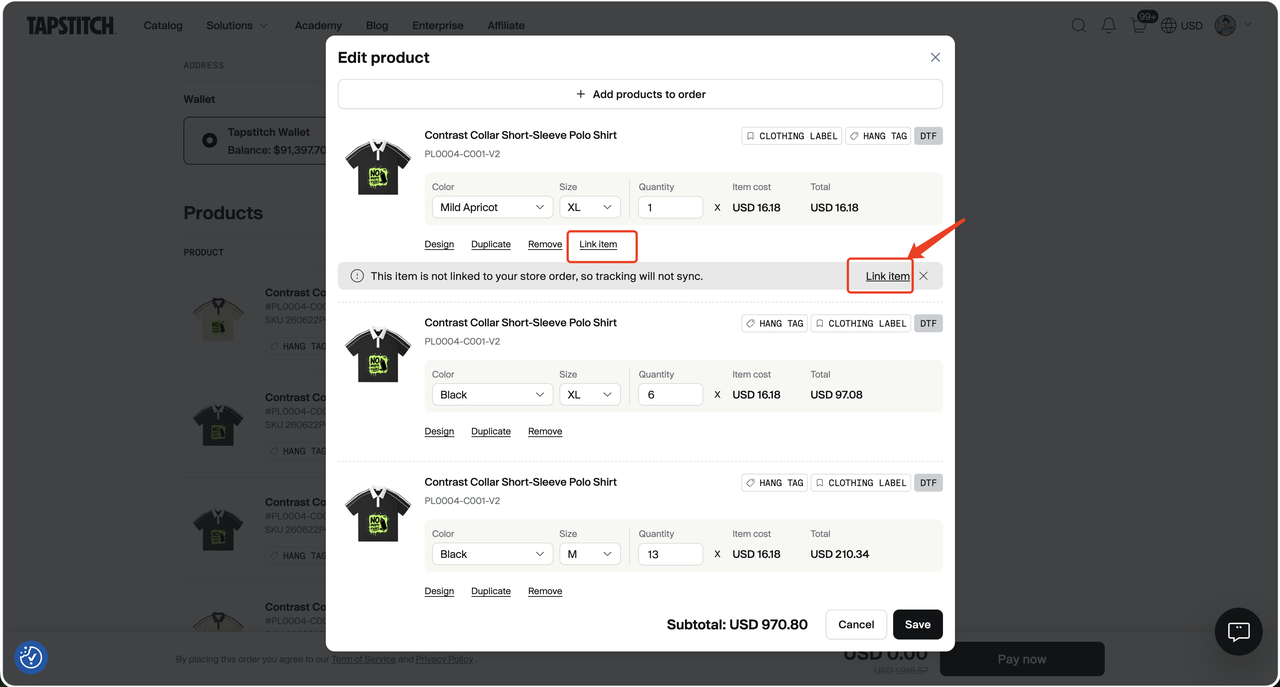
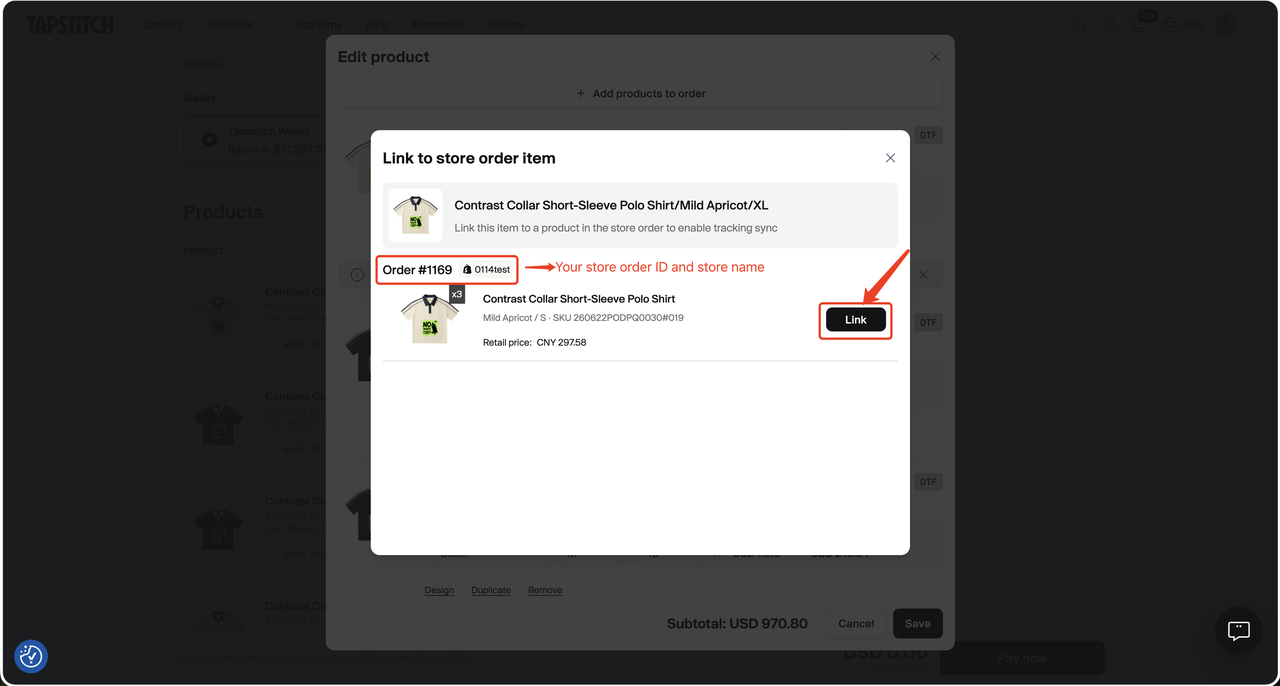
- This linking step is optional. If the new variant is a free gift or an add-on item and your customer does not need to track its shipment in your store, you can leave it unlinked.
5. FAQ
1. Where can I view order edit history?
You can view order changes in Order > Order history.
2. Can I edit variants after the order is paid for and submitted?
No. Once an order is paid for, submitted, and enters the fulfillment process, variants can no longer be edited from the order page.
3. Will editing a Dropshipping order update my Shopify, WooCommerce, or other store order?
No. Changes made in Tapstitch will not automatically update the original order in your connected store. If needed, update the order manually in your store admin to keep the variant information aligned.
4. Can I edit neck labels or hangtags before submitting the order?
Yes. For eligible orders, you can update neck labels, hangtags, and other available options before the order is paid for and submitted.
5. Will Shopify order changes sync to Tapstitch?
Yes, as long as the On Hold order has not been edited in Tapstitch.
If the order has already been edited in Tapstitch, later Shopify changes will not sync automatically. You’ll need to manually confirm the sync in Tapstitch; once confirmed, the latest Shopify order details will overwrite the current On Hold order.
Was this article helpful?
0 found this helpful