How to Set Your Store's Fulfillment Preferences
June 20, 2026 · Updated
Tapstitch allows you to configure default fulfillment and shipping preferences for each connected store. Once configured, Tapstitch will automatically select the most suitable fulfillment location and shipping method for new orders based on your settings, helping streamline order processing and reduce manual work.
What Are Fulfillment Preferences?
Fulfillment preferences determine how orders from a specific store are fulfilled by default. You can choose:
- Preferred fulfillment location
- Preferred shipping method
These settings are applied automatically to new store-sourced orders.
Available Fulfillment Methods
Tapstitch currently supports two fulfillment options:
| Fulfillment Method | Description | Recommended For |
| USA Fulfillment | Orders are produced and shipped from a US-based fulfillment center | Faster delivery within the United States |
| International Fulfillment | Orders are produced and shipped from an international fulfillment center | Lower shipping costs and broader product availability |
How to Configure Fulfillment Preferences
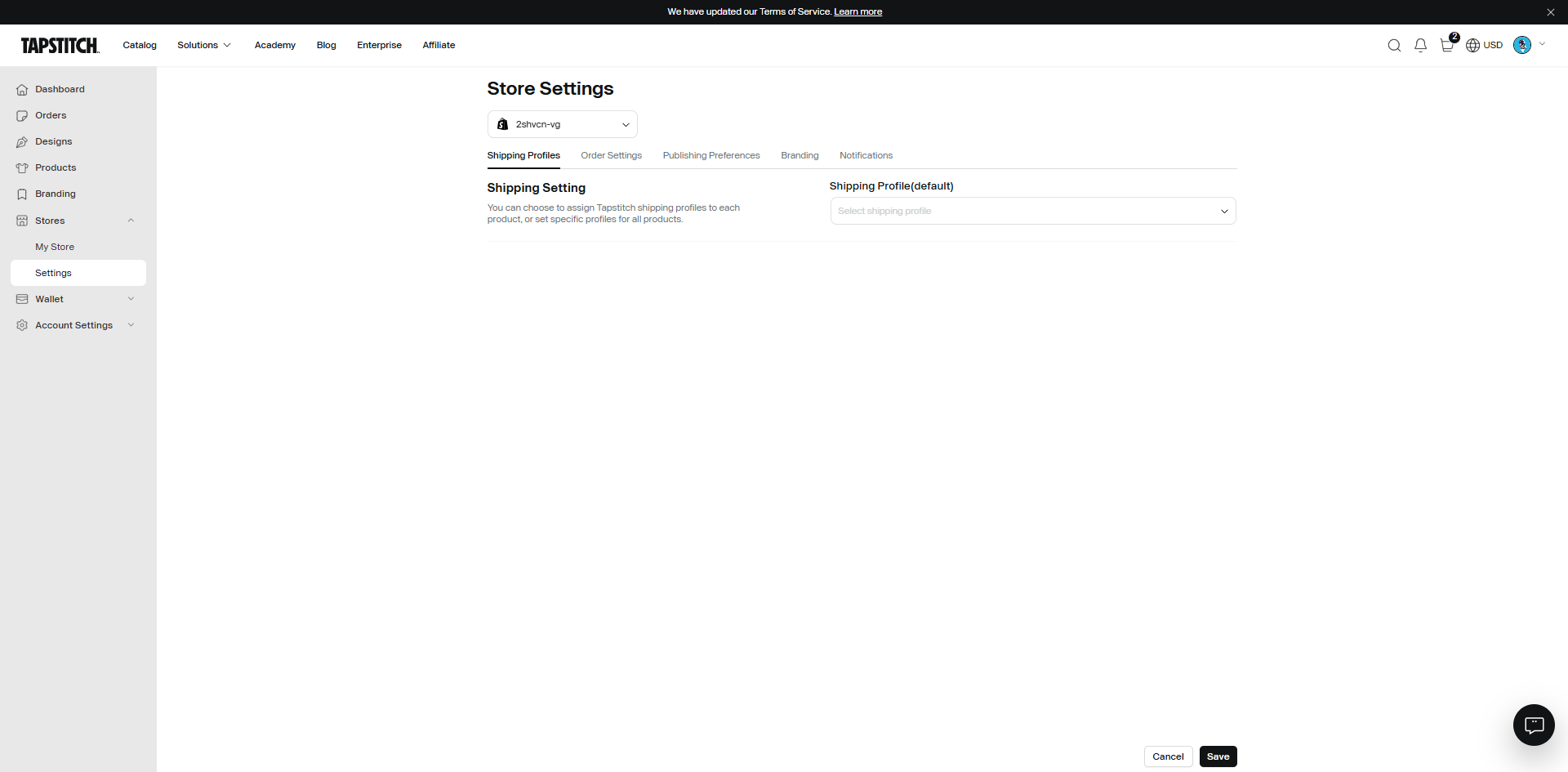
Step 1: Open Store Settings
Navigate to:
Account → Store → Settings
Select the store you would like to configure.
Step 2: Open Order Settings
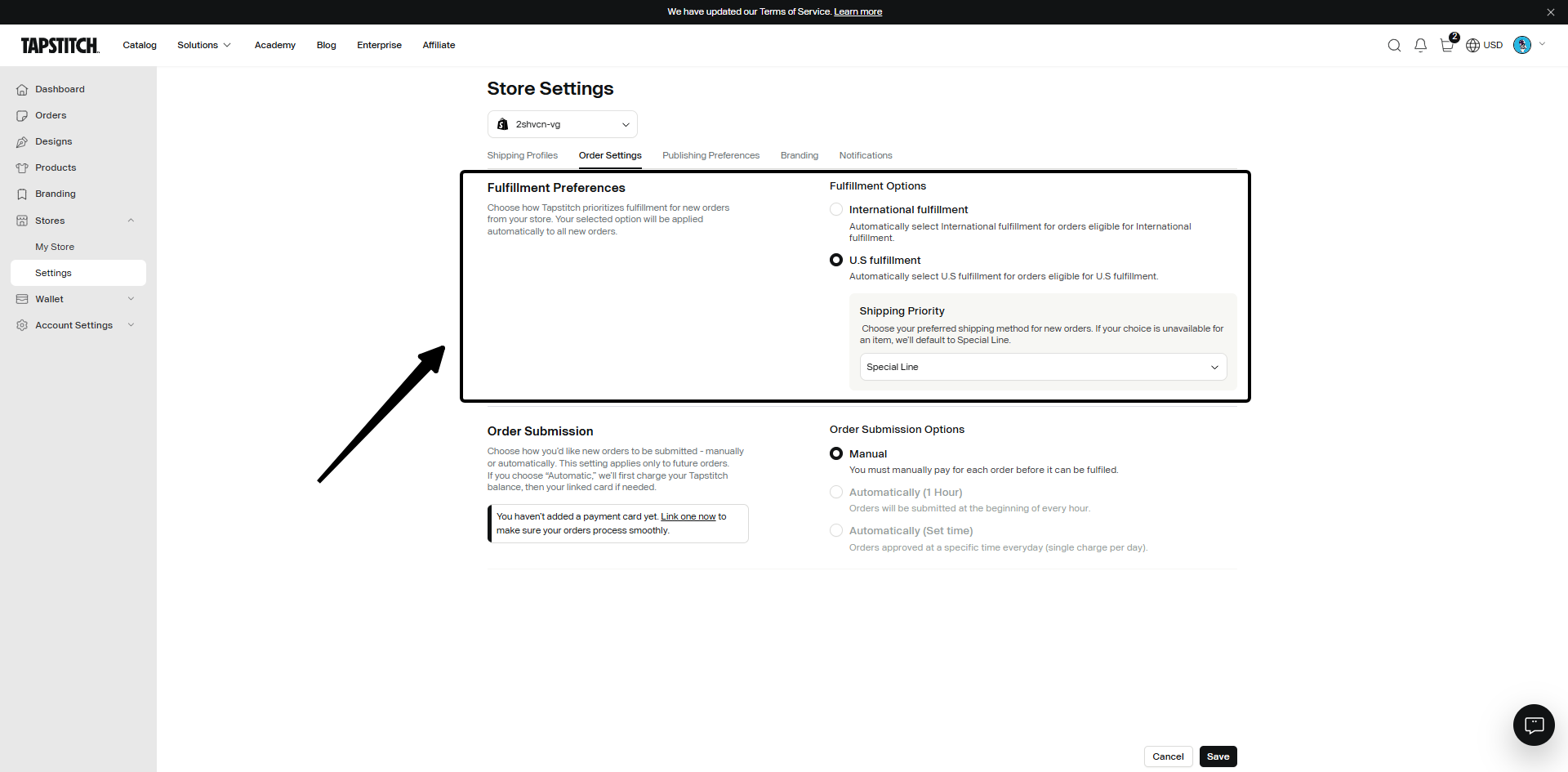
Select the Order Settings tab.
Locate the Fulfillment Preferences section.
Step 3: Select Your Preferred Fulfillment Method
Choose one of the following:
- USA Fulfillment
- International Fulfillment
Your selected option will become the default fulfillment strategy for new orders.
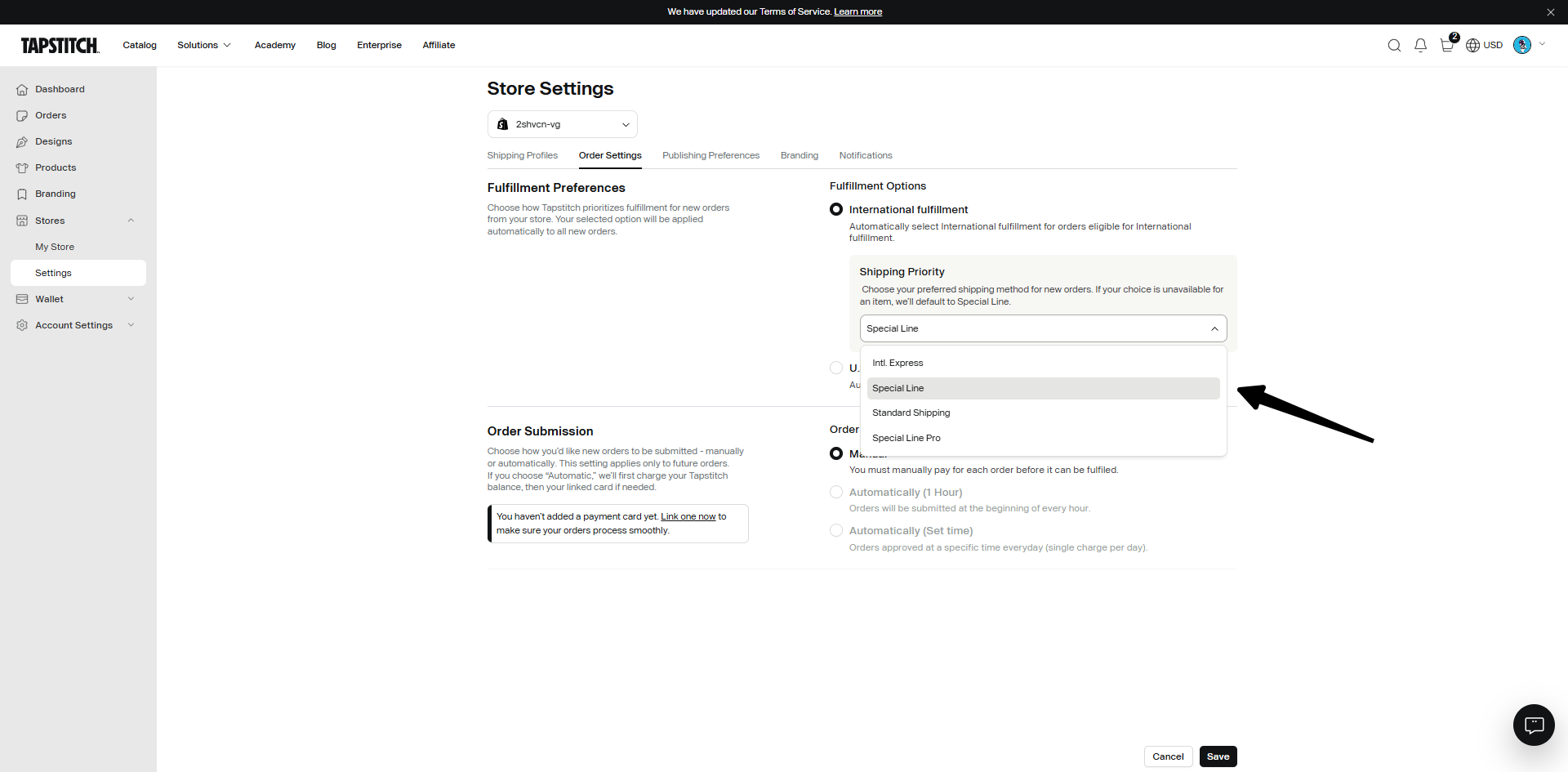
Step 4: Set Shipping Method Priority
Select your preferred shipping method for the chosen fulfillment method. Examples:
- USA Fulfillment → Special Line
- International Fulfillment → Special Line pro
Tapstitch will use your preferred shipping method whenever available.
Step 5: Save Your Settings
Click Save to apply your fulfillment preferences. All new store-sourced orders will follow these settings automatically.
How Order Routing Works
When a new order is received, Tapstitch follows the fulfillment preferences you've configured.
Primary Fulfillment Selection
The system will use:
- Your selected fulfillment options
- Your preferred shipping method
Recommended Fulfillment Settings
For US-Focused Stores
We recommend:
- USA Fulfillment
- Special Line
Benefits:
- Faster delivery times
- Better customer experience for US customers
For Cost-Conscious Sellers
We recommend:
- International Fulfillment
- Special Line
Benefits:
- Lower fulfillment costs
- Broader product availability
Important Notes
Preferences Apply Per Store
Each connected store has its own fulfillment preferences. If you manage multiple stores, configure fulfillment settings separately for each one.
Preferences Apply to New Orders Only
Changes will only affect new orders created after the settings are saved. Existing orders will not be updated automatically.
Default System Behavior
If no fulfillment preferences are configured, Tapstitch will use:
- International Fulfillment
- Special Line
as the default fulfillment strategy.
Frequently Asked Questions
1.Can I set different fulfillment preferences for different stores?
Yes. Fulfillment preferences are configured individually for each connected store.
2.Can I manually change the fulfillment method for an order?
Yes. Before submitting an order, you can manually edit the fulfillment method on the order page.
3.What happens if the product is unavailable in my preferred warehouse?
Tapstitch will automatically switch to the next available fulfillment location to avoid delays and ensure the order can be processed.
Need More Help?
If you have questions about fulfillment preferences or order routing, please contact our Support Team through Live Chat or email us at support@tapstitch.com, and we'll be happy to assist you.
Was this article helpful?
18 found this helpful