How to Connect Your Etsy Shop to Tapstitch?
July 09, 2026 · Updated
Once your Etsy shop is set up, you can connect it to Tapstitch to publish products, sync orders, and manage fulfillment from one place!
Before You Connect
Before getting started, make sure:
- Your Etsy shop is open and fully set up
- You're signed in to the correct Etsy seller account
- Your shop is active and ready to accept listings
If your Etsy seller account setup isn't complete, the connection may not work.
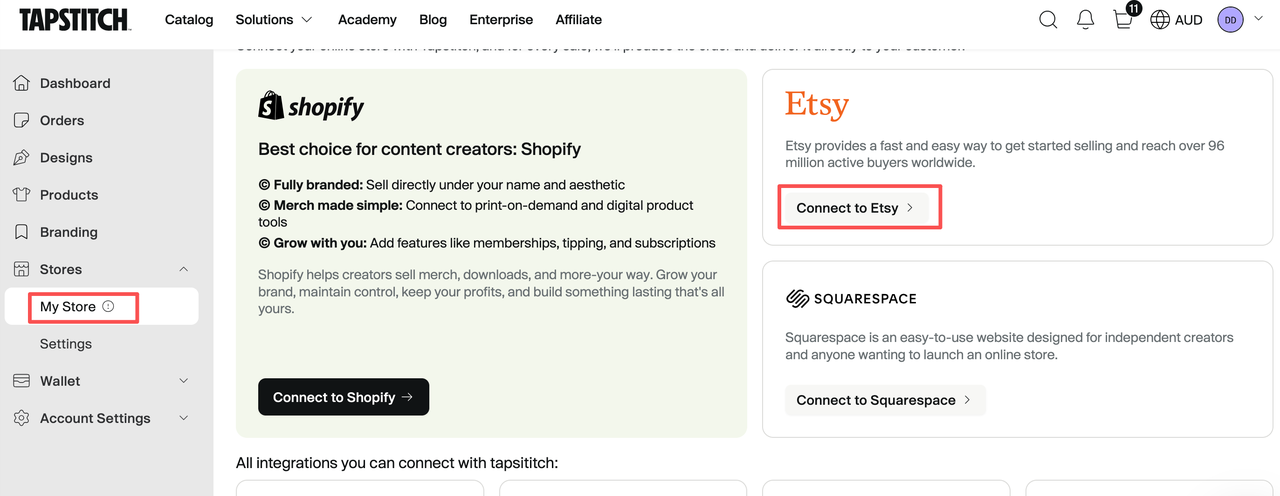
Step 1: Connect Etsy in your Tapstitch account
- Log in to your Tapstitch account.
- From the left navigation menu, go to Stores.
- Select My Store.
- On the store connection page, find the Etsy option.
- Click Connect to Etsy.
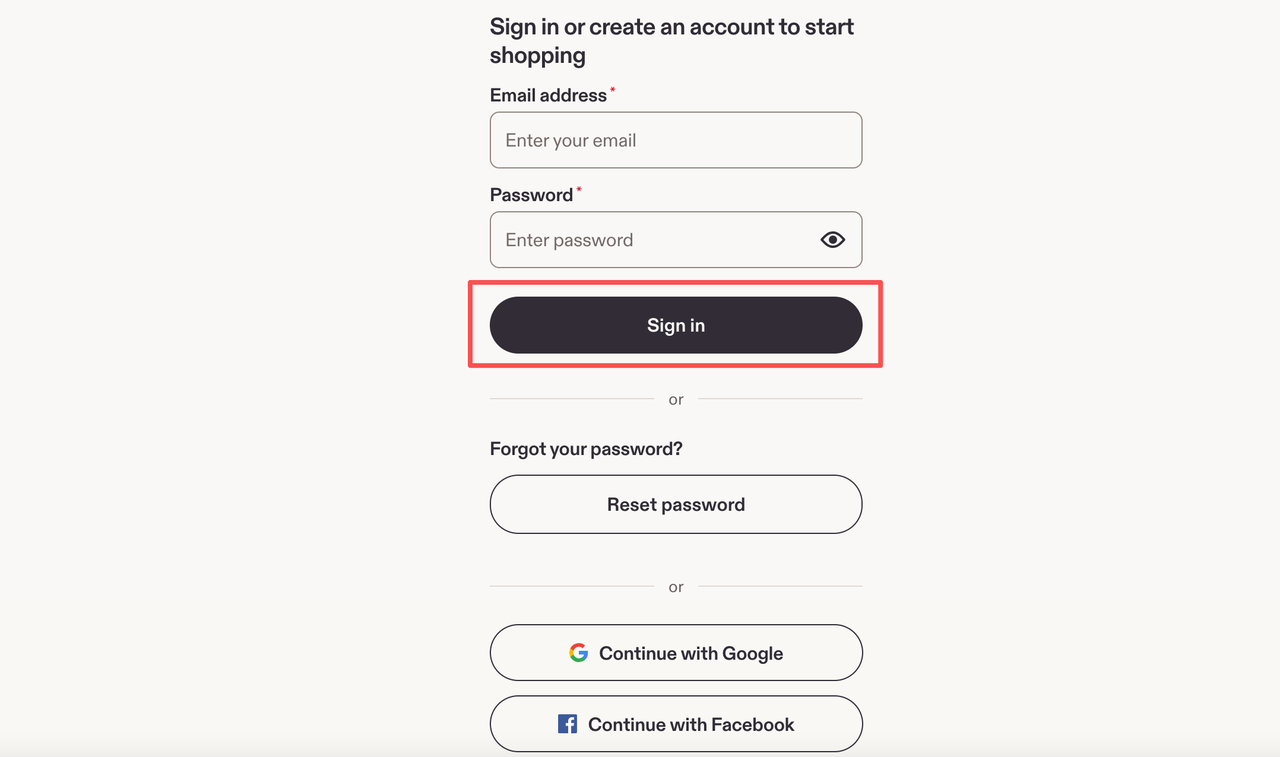
Step 2: Sign In to Your Etsy Account
Open a new window or tab and sign in to the Etsy account associated with the shop you want to connect. Enter your email address and password, or continue with Google, Facebook, or Apple if that's how you normally sign in.
Note: If your Etsy shop isn't fully set up yet, finish the setup process before connecting it to Tapstitch. Trying to create a new Etsy account during this step may cause the connection to fail.
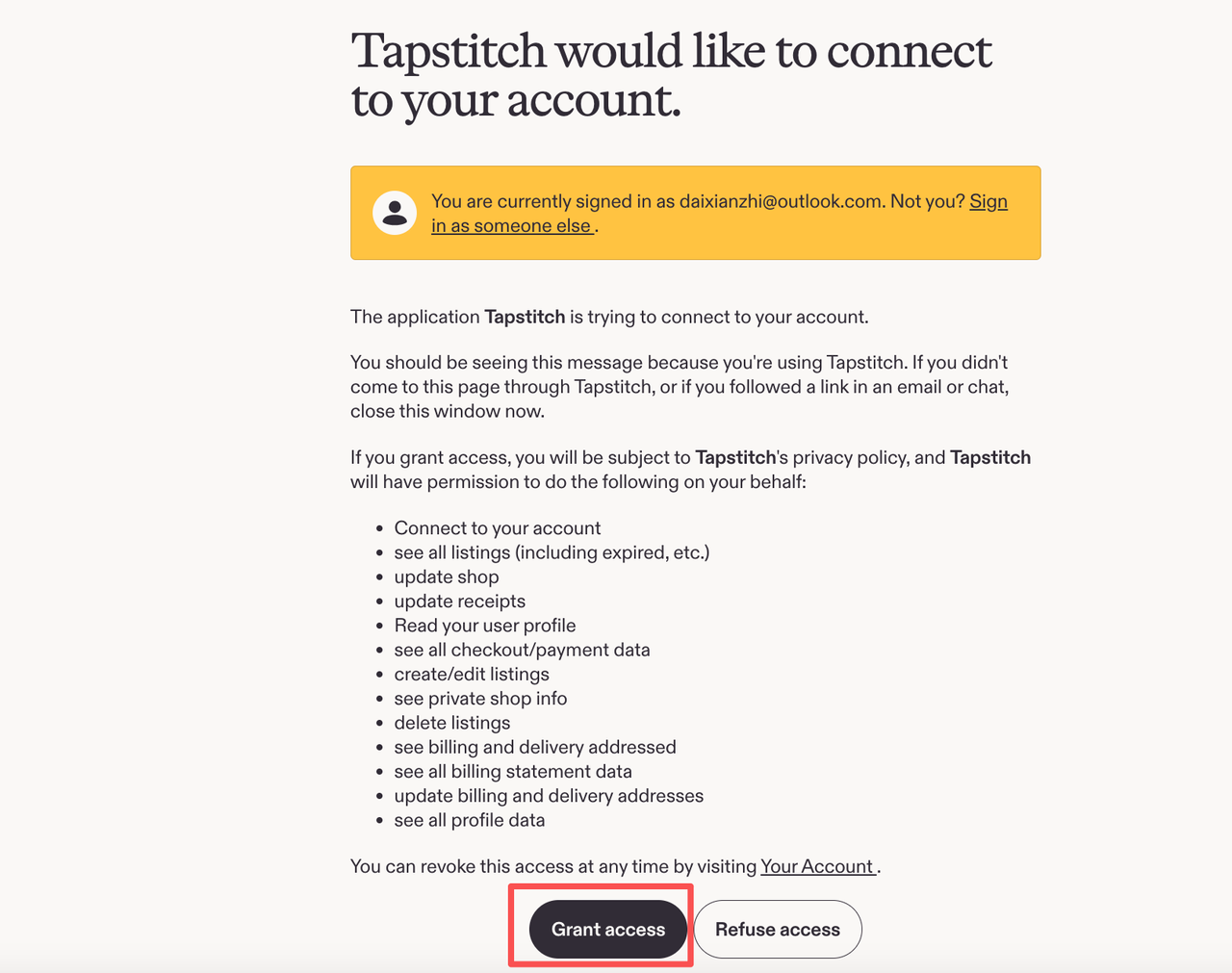
Step 3: Allow Tapstitch to Access Your Etsy Shop
After signing in, Etsy will ask you to grant Tapstitch access to your shop.
Review the account information to make sure you're connecting the correct Etsy shop, then click Grant access (or the confirmation button shown on the page).
Step 4: Confirm the Connection
Once you've granted access, you'll be redirected back to Tapstitch.
If the connection is successful, your Etsy shop will appear in your My Store list. You can then create products and publish them directly to Etsy.
Troubleshooting
If the Etsy sign-in window doesn't open, check whether your browser is blocking pop-ups. You can also try clearing your cache and cookies, switching browsers, or using another device.
If Etsy displays a shop setup page instead of completing the connection, your Etsy shop may not be fully set up yet. Complete the remaining Etsy onboarding steps, then try connecting your shop again.
Important Note
If Tapstitch produces or fulfills your products, Etsy may require you to list Tapstitch as a production partner. Make sure your shop and listings comply with Etsy's marketplace policies.
Was this article helpful?
1 found this helpful