How to Apply a Discount Code
October 27, 2026 · Updated
Overview
Want to save on your Tapstitch order? Applying a discount code is easy! Simply enter your code during checkout, and the system will automatically calculate the discount and update your order total.
Please note that discount codes may have specific eligibility requirements, expiration dates, or account restrictions.
Step-by-Step Instructions
Follow these steps to apply your discount code:
Step 1: Go to Checkout: Add your desired items to your cart and proceed to the Checkout page.
Step 2: Enter Your Discount Code: Find the discount code field at checkout and enter your code carefully.
Step 3: Apply the Discount: The system will automatically calculate the discount once the code is entered successfully.
Step 4: Check Your Updated Order Total: Review your order summary to confirm that the discount has been applied and your order total has been updated.
Want to use a different code or skip the discount?
If you no longer wish to use the current code, you can remove it and enter another discount code, or proceed with your order without using a code.
| Web Page | Phone Page |
|---|---|
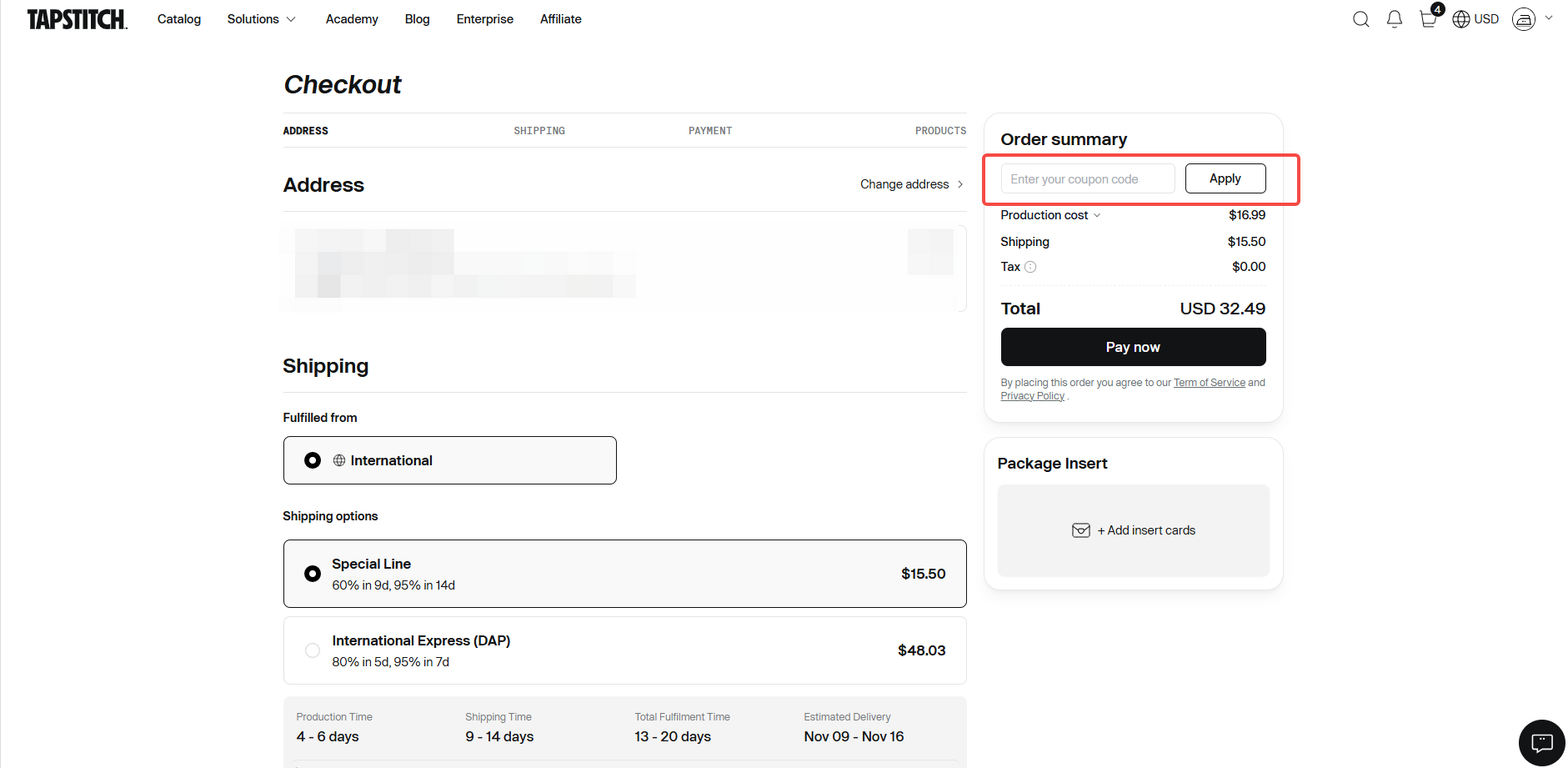
|
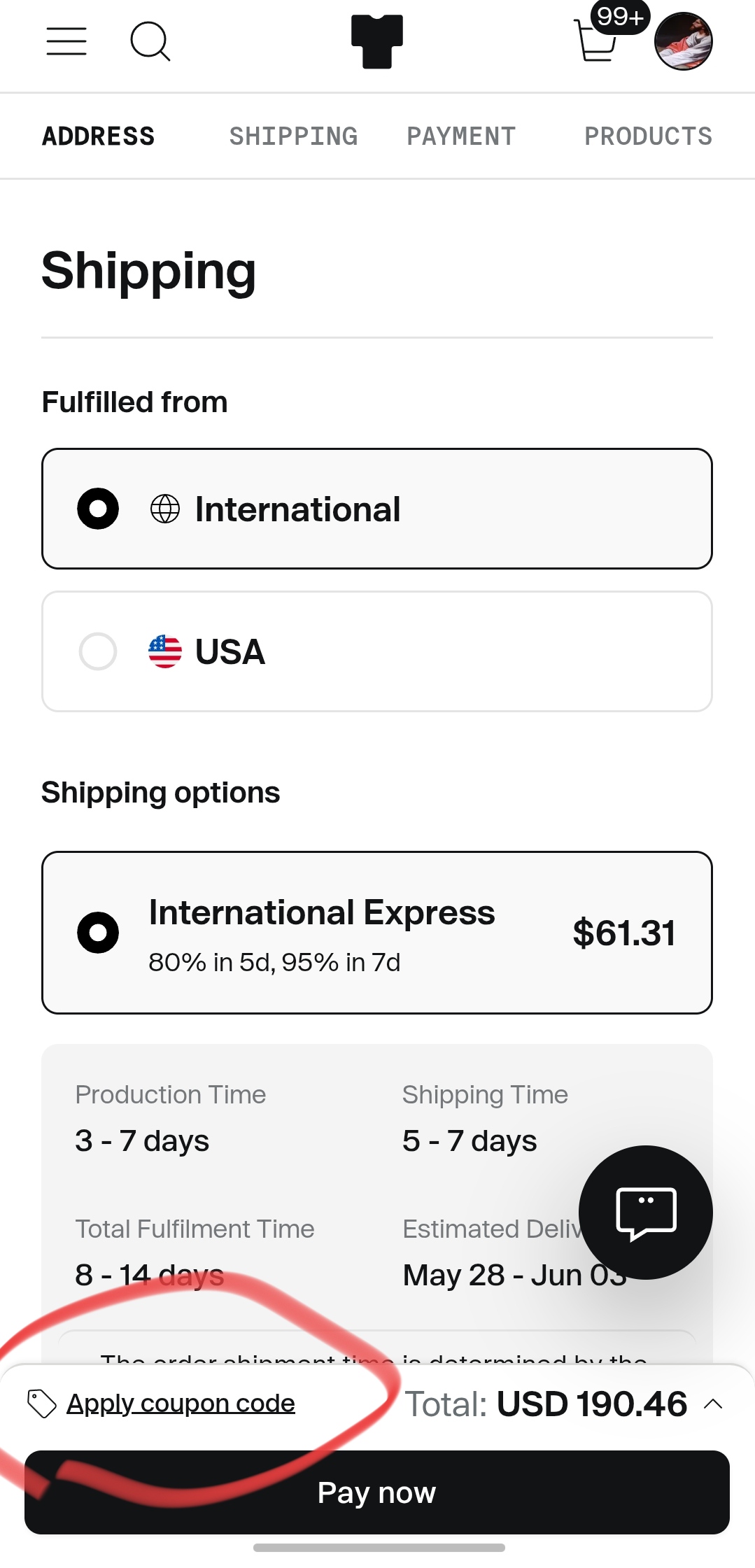
|
Troubleshooting
1. Why Can't I Find the Option to Apply a Discount Code at Checkout?
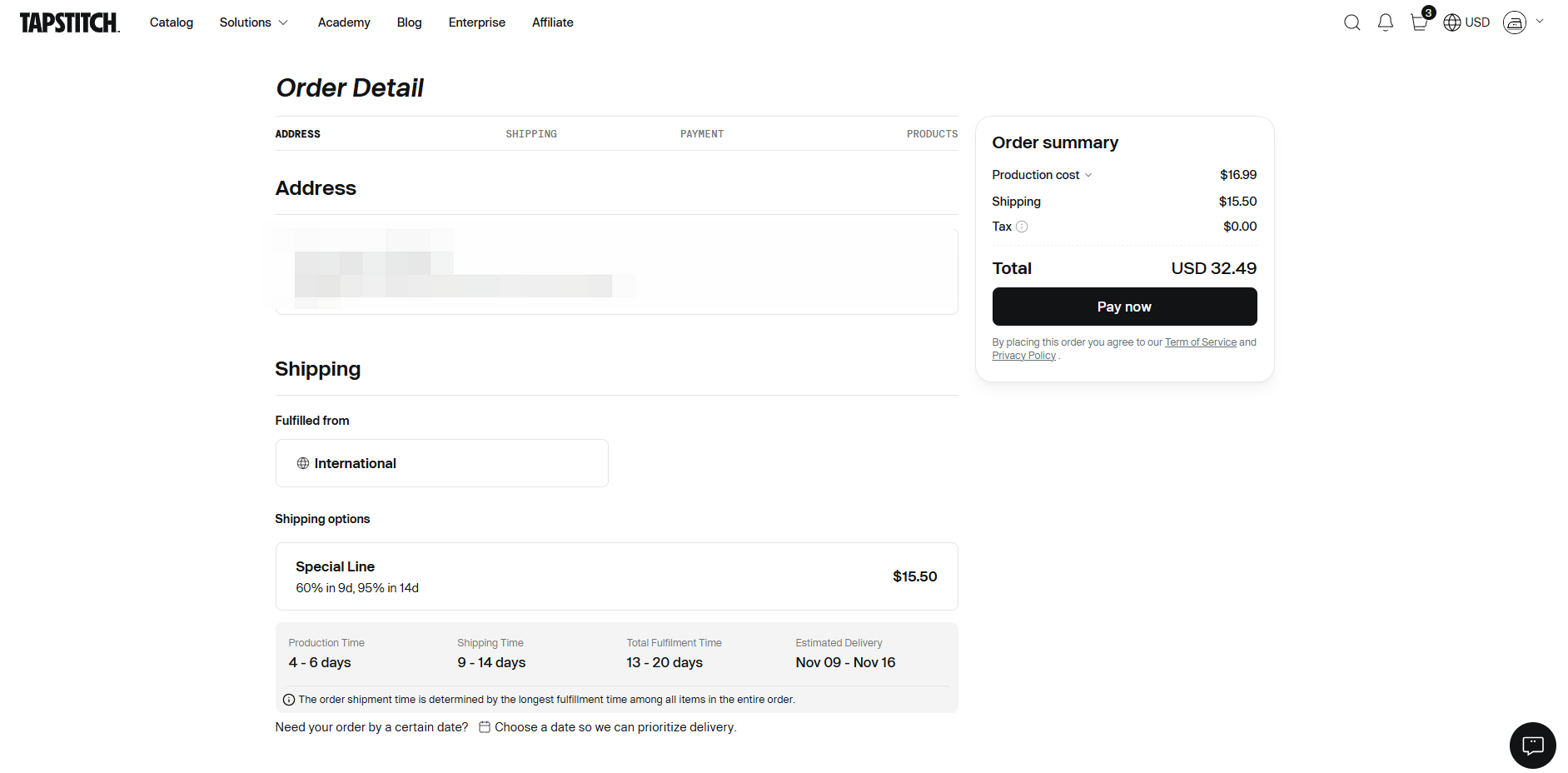
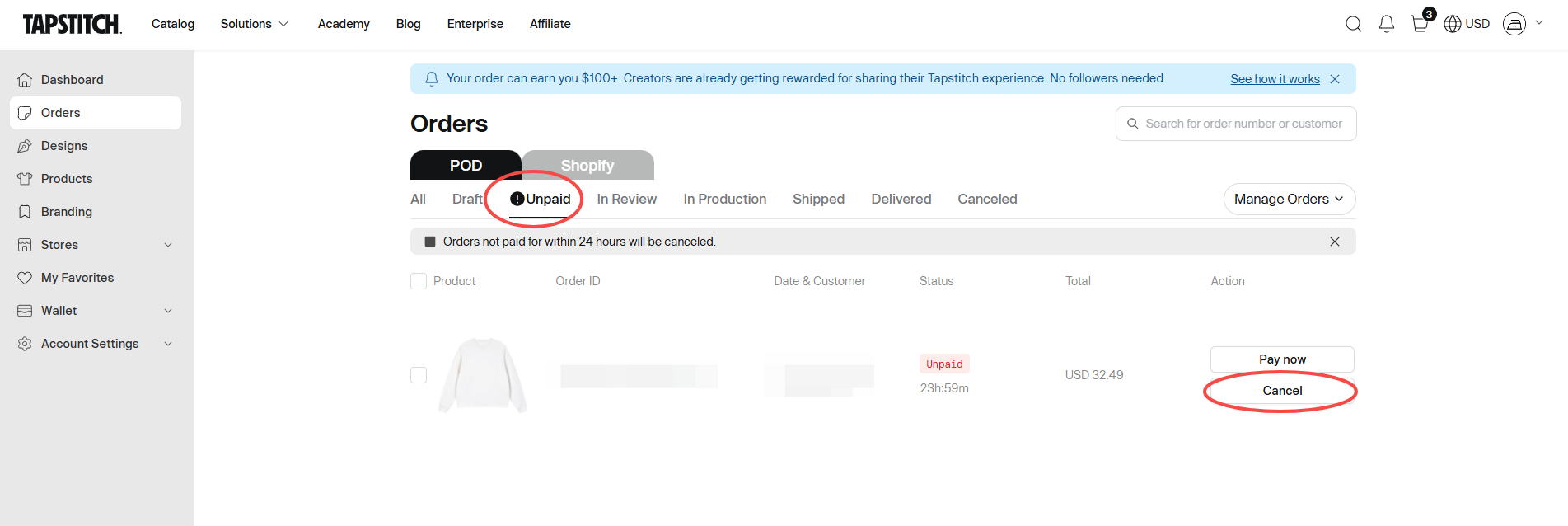
If you can't find the discount code field, you may be trying to apply a discount to an existing unpaid order.
What can you do?
If your order is unpaid, please cancel the existing order and place a new one. During the new checkout process, you can enter your discount code before completing your purchase.
2. Why Isn't My Discount Code Working?
If you see the error message "Offer does not exist or is entered incorrectly," please check the following:
A. Make Sure You're Using the Correct Tapstitch Account
Some discount codes are linked to a specific account. Please log in to the Tapstitch account associated with your discount code.
For example, if your code was issued to the email address registered to Account A, it may not work if you're logged in to Account B.
B. Check Whether Your Discount Code Has Expired
Make sure your code is still within its validity period.
For example, if a first-time registration discount is valid for 7 days after registration, the code may no longer work if you try to use it 15 days after registering.
C. Double-Check Your Discount Code
Please make sure you've entered the code correctly, paying close attention to similar-looking characters.
For example, if the correct code is CS111010111111, entering CS111O1O111111 may cause an error because the letter O has been entered instead of the number 0 (zero).
We recommend copying and pasting your code whenever possible to avoid typing errors.
Need More Help?
Need More Help?
If you're experiencing issues or need additional assistance, please contact our Support Team through Live Chat or email us at support@tapstitch.com, and we'll be happy to assist you.
Was this article helpful?
0 found this helpful