How to Download Invoices on Tapstitch
September 09, 2026 · Updated
Where can I find invoices for my orders?
You can easily download invoices for your orders directly from your Tapstitch account.
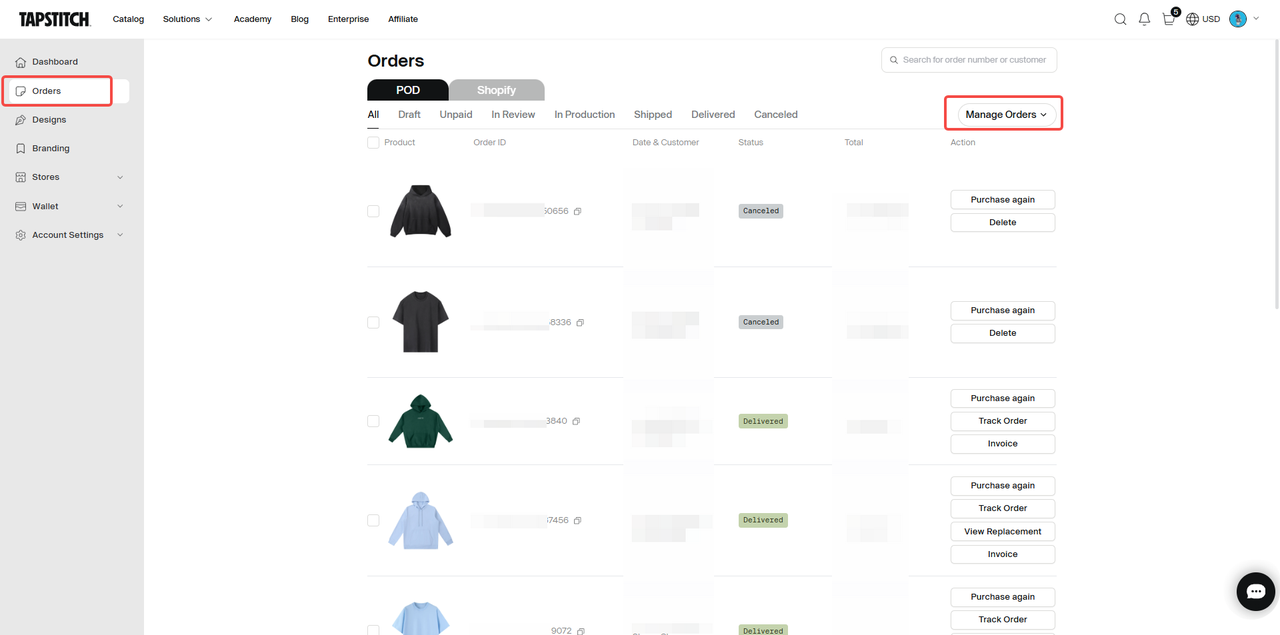
🔹Method 1: Download from Orders List
- Go to Account → Orders
- Find the order you need the invoice for
- Click the Invoice button next to the order
- The invoice will be downloaded automatically
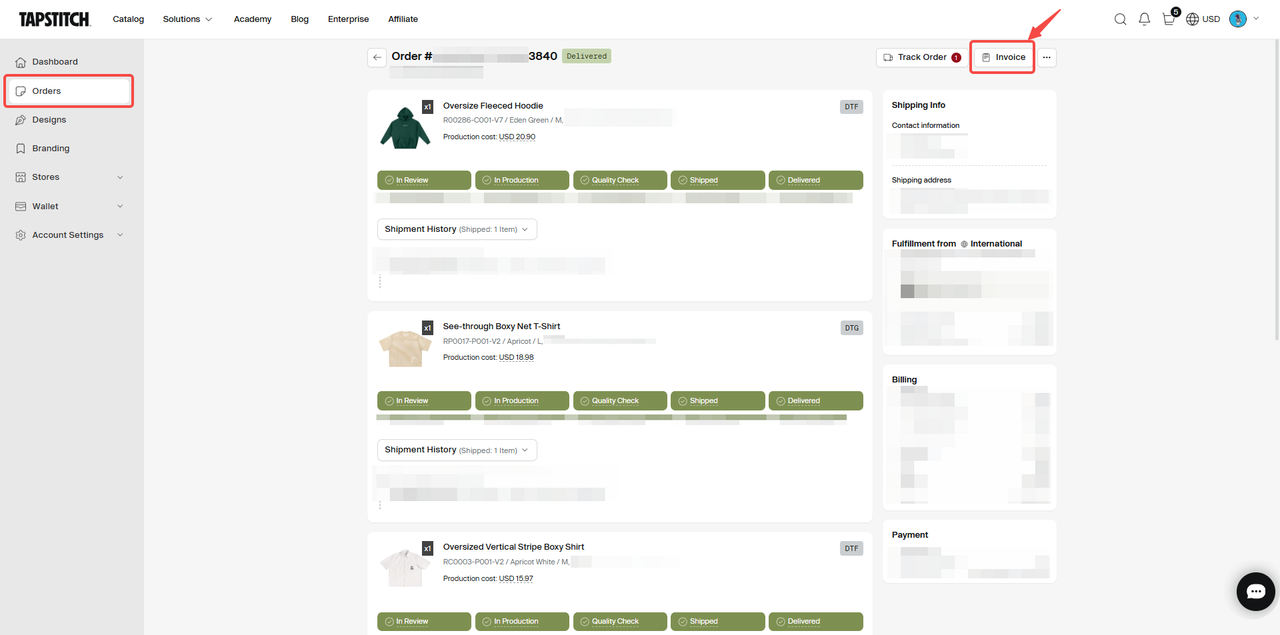
🔹Method 2: Download from Order Details
- Go to Account → Orders
- Click into the specific order
- In the top-right corner, click Invoice
- Download the invoice
🔹How to Download Multiple Invoices (Bulk Download)
Tapstitch allows you to export invoices in bulk through the Manage Orders feature.
Steps:
- Go to Account → Orders
- Click Manage Orders in the top-right corner
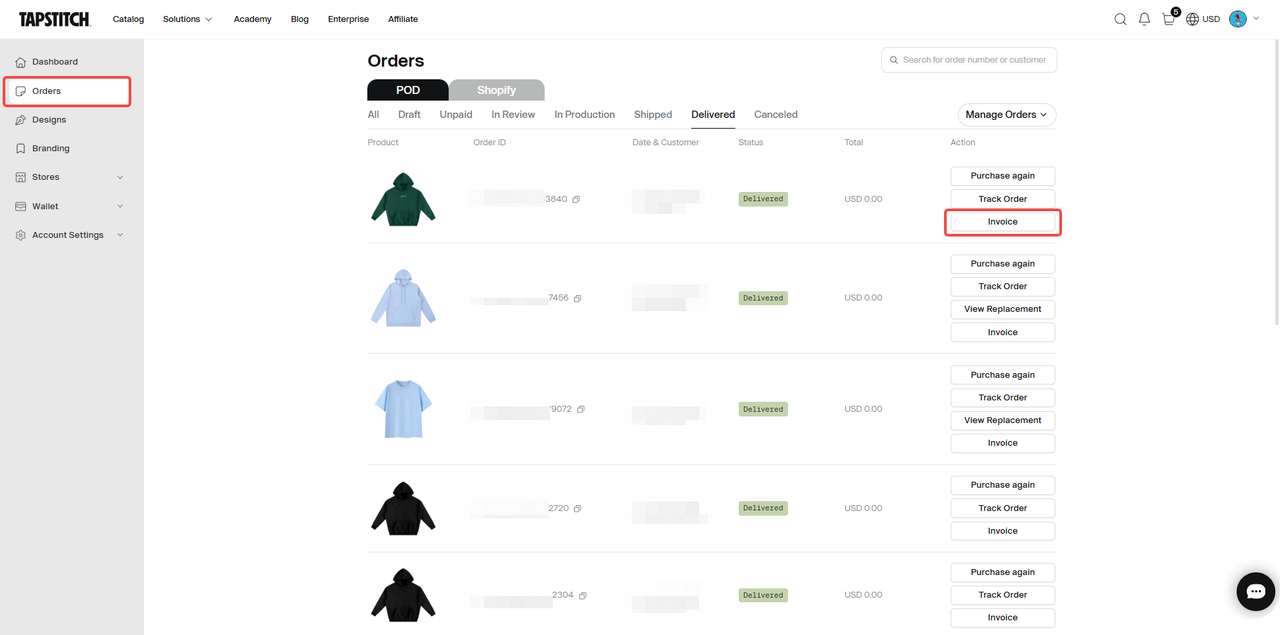
- Click Export Invoice
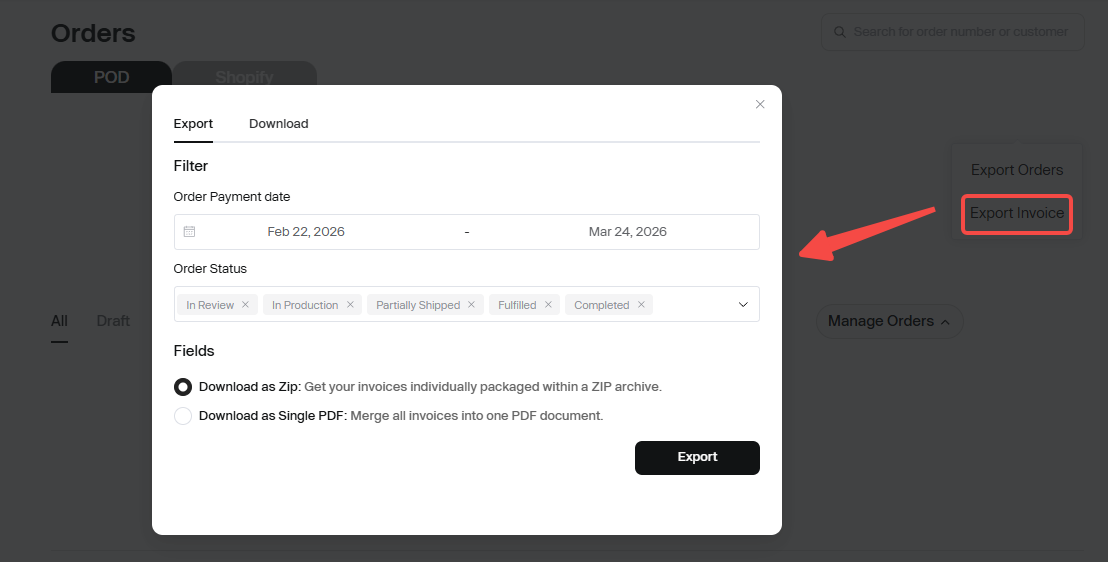
- Set your export conditions:
- Time range
- Order status
- Choose the file format:
- Download as ZIP Get your invoices individually packaged within a ZIP archive
- Download as Single PDF Merge all invoices into one PDF document
- Click to export
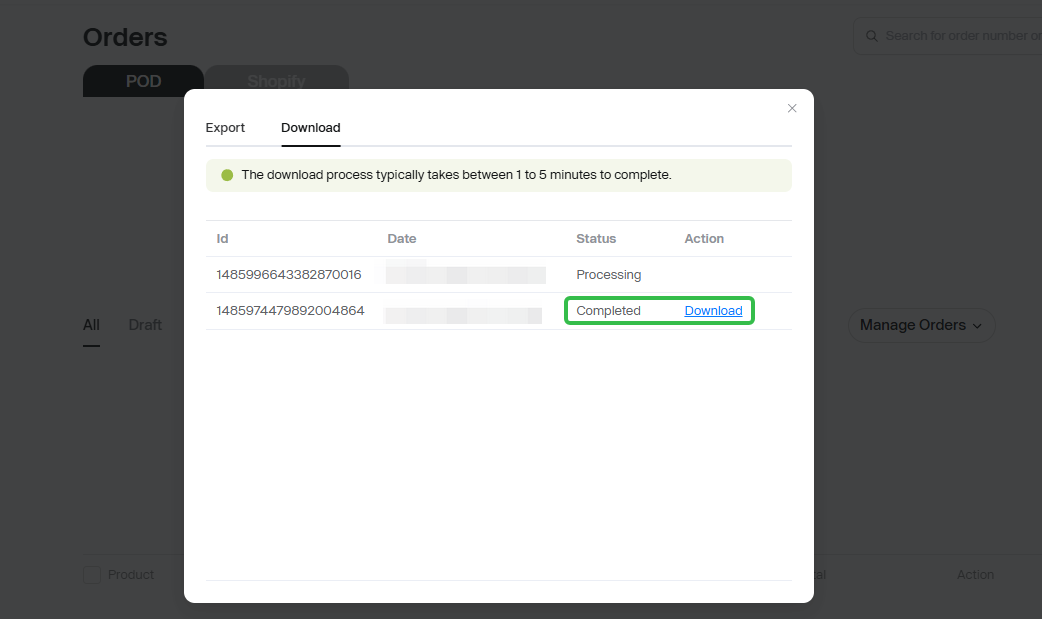
- Go to the Download tab to check progress
- Once the status shows Completed, click Download
💡 Tips
- We recommend downloading and saving invoices within 30–90 days after the order is placed for easier record-keeping
- Tapstitch currently supports exporting invoices from the past 1–2 years
- Export time may vary depending on the number of orders
- For large exports, we recommend selecting ZIP format
❓FAQ
How can I change the billing address or company information on my invoice?
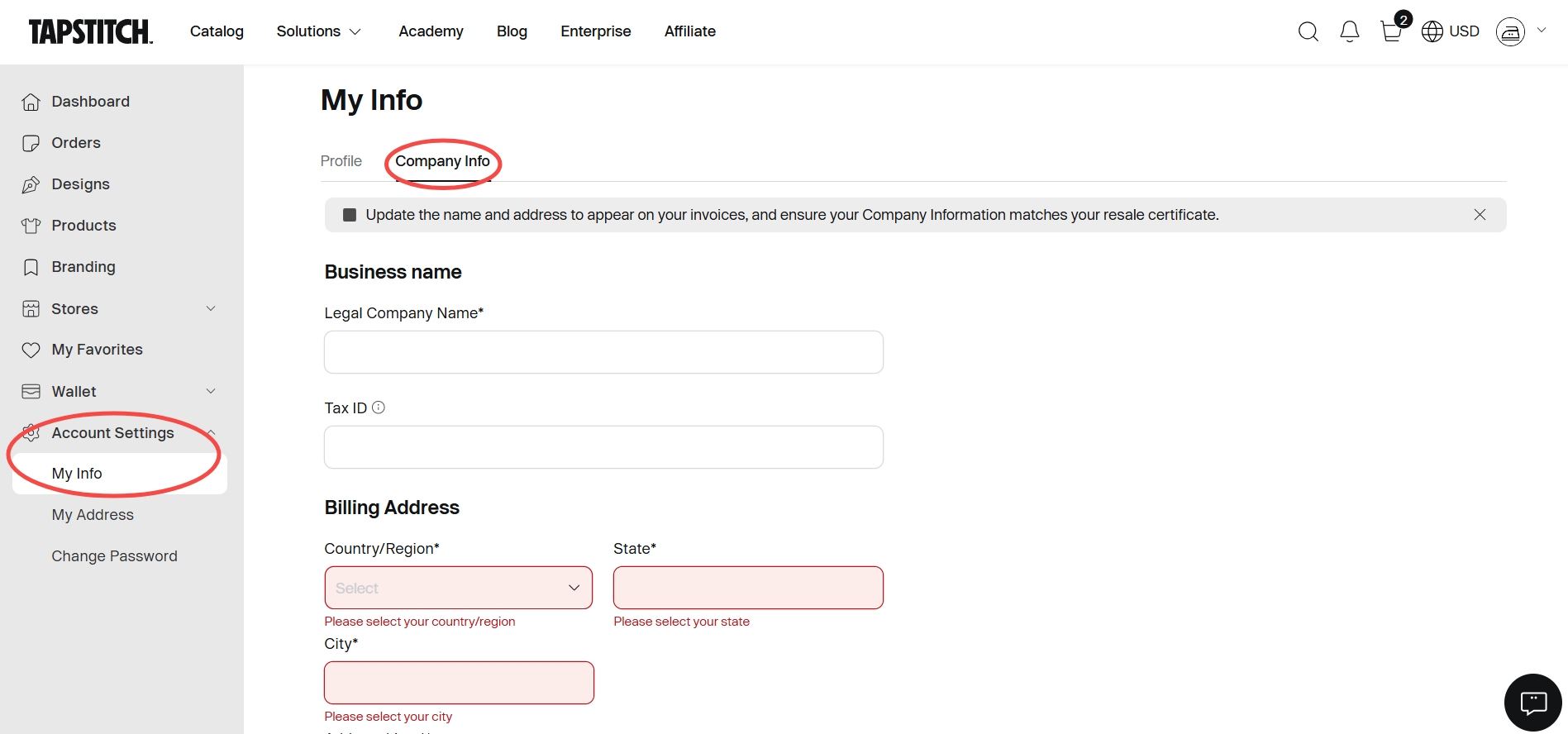
- By default, the Billing Address and Company Information shown on your invoice are based on the details saved in your Tapstitch account.
- If you’d like to update your billing address, company name, or any other company information, simply go to Account Settings and make the necessary changes. Your updated information will take effect immediately.
- If you haven’t added a billing address for your invoice, the shipping address from your order will be used as the billing address by default.
Was this article helpful?
5 found this helpful