How to ensure high-quality prints
June 20, 2026 · Updated
1. Image Quality Guidelines
- Image Size and Resolution Ensure your images are at least 1024 pixels in size and have a resolution of 150 dpi or higher.
- Opacity Considerations Avoid using images with opacity below 50% over large areas. If needed, limit opacity effects to smaller areas, such as color transitions.
Why?
- Low opacity reduces ink usage during printing.
- It can also affect color accuracy, as only the colors in the submitted image will be printed—not the blended effect seen on screen.
2. Color Selection for Images
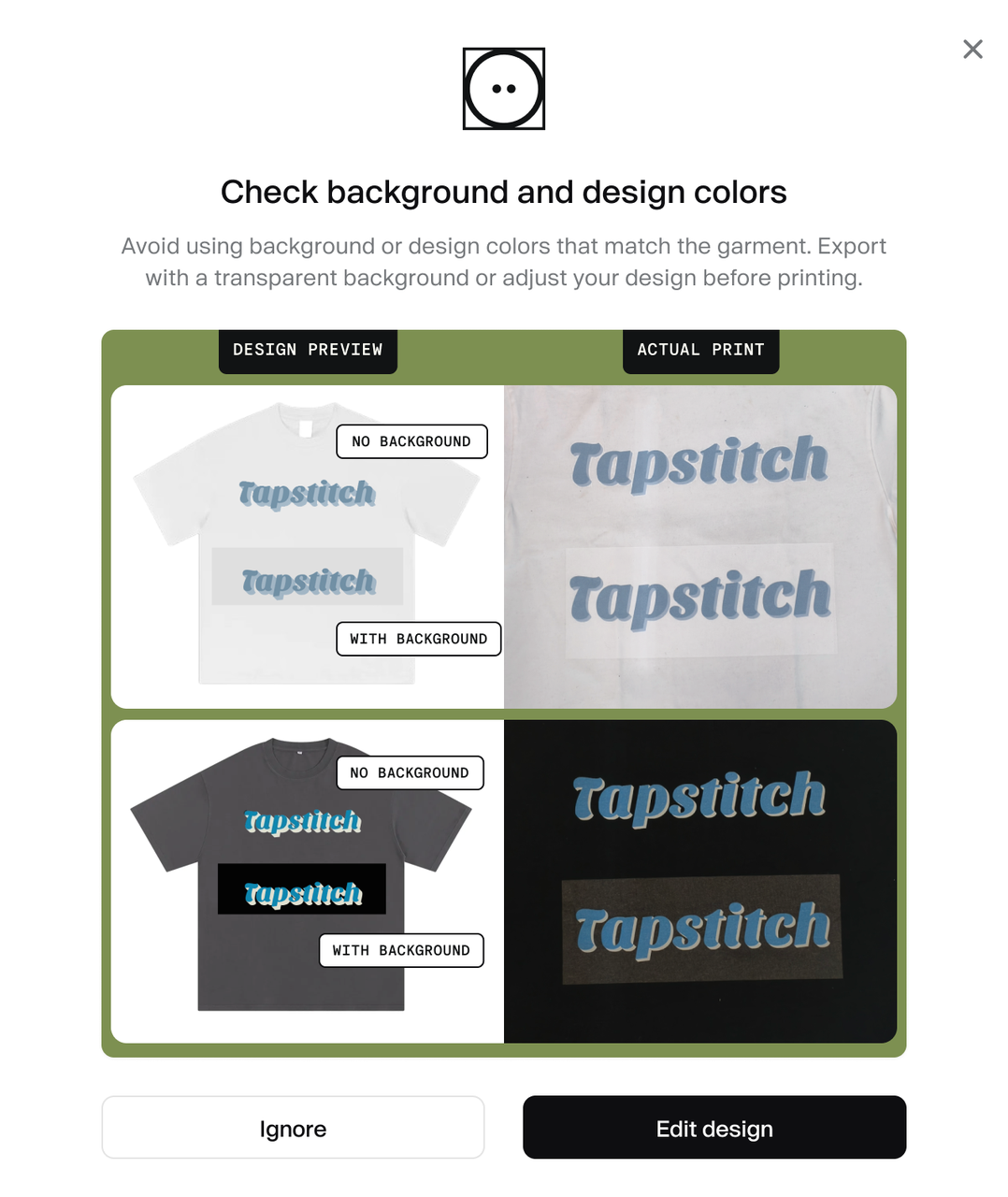
- Avoid Using Colors That Match the Garment Steer clear of using colors that are too close to the garment color, especially black for large designs on black clothing.
Why?
- On dark garments, a white ink base is used to ensure vibrant colors. After applying this base, colored prints appear more vivid. However, black prints on black fabric will look dark gray, which may not achieve the desired effect.
Was this article helpful?
4847 found this helpful