How to create a design
October 15, 2026 · Updated
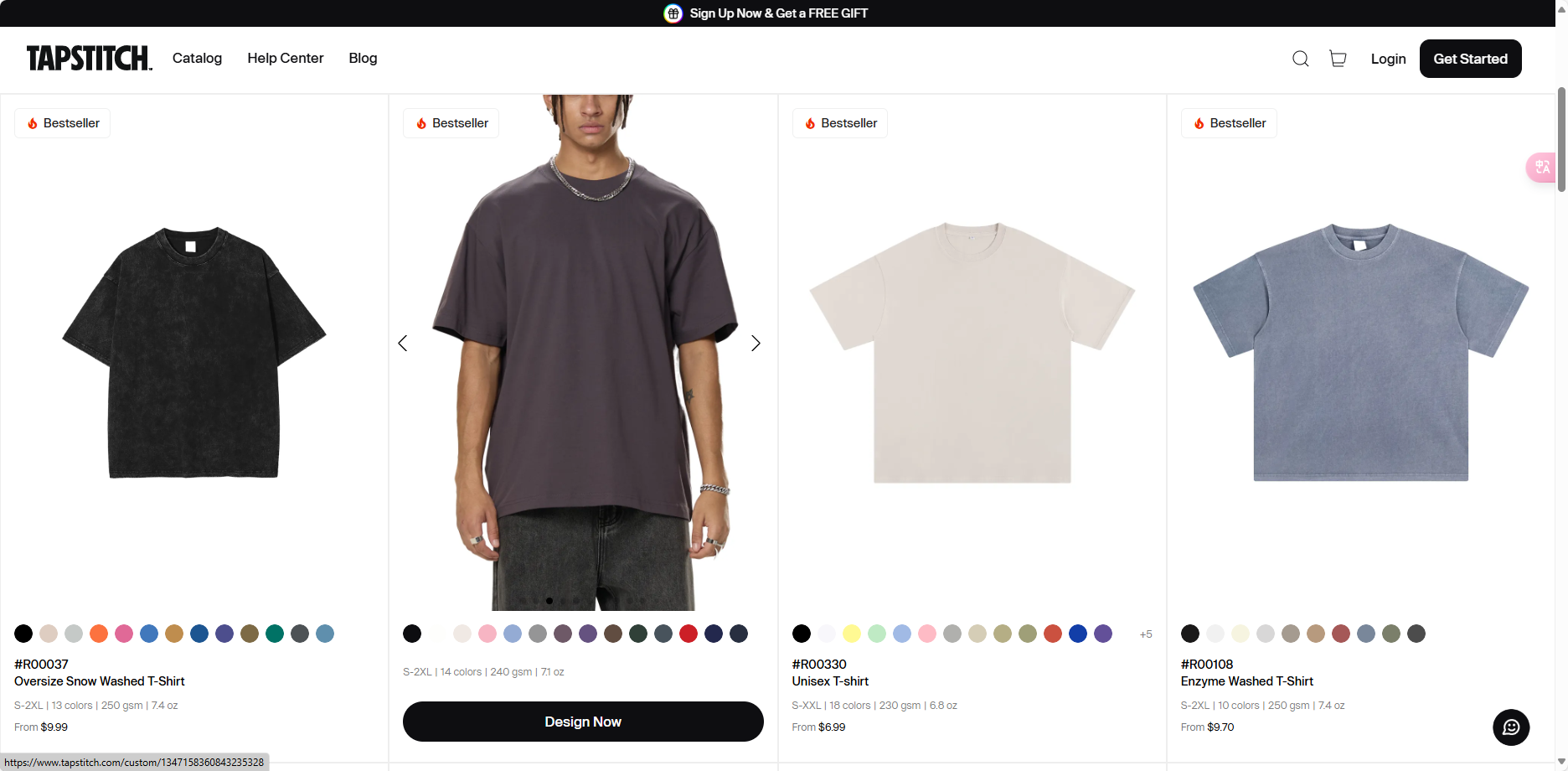
- Select Your Style Browse the marketplace and choose the style you’d like to customize.
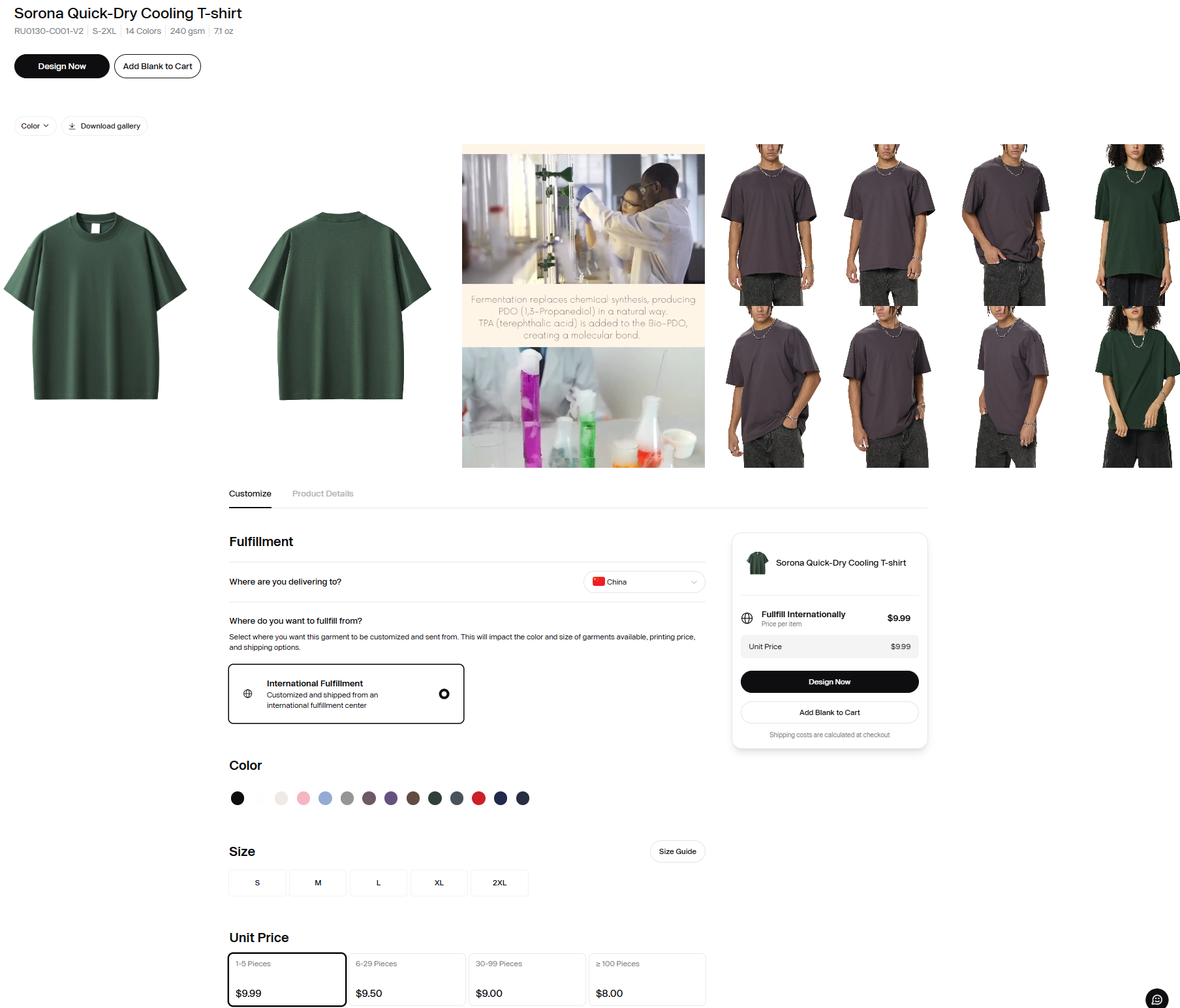
- Access the Design Tool Click on the style to view its product details page, where you can confirm the fabric, color, and other specifications. Then, click Design to open the design tool.
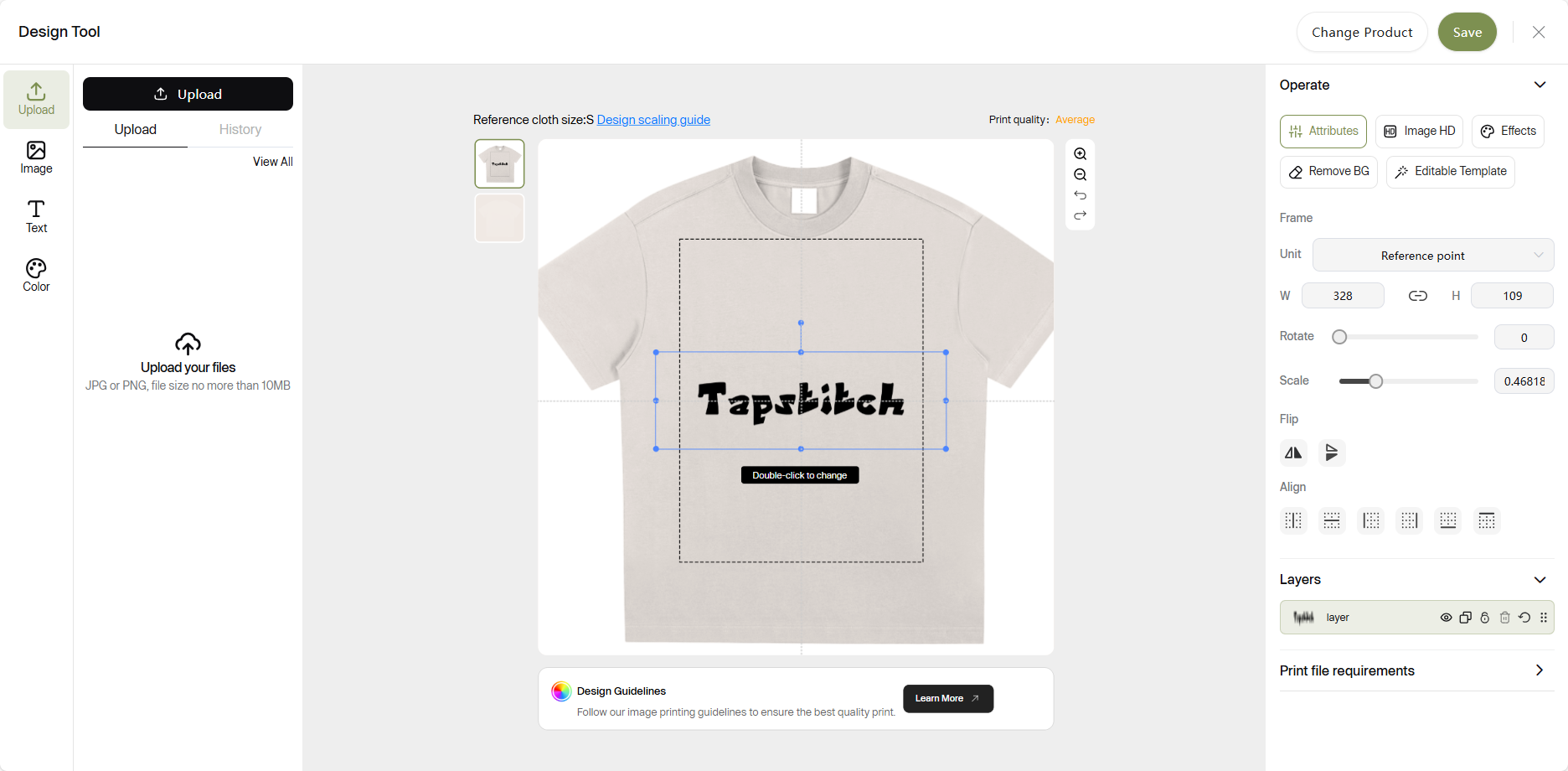
- Upload Your Print In the design tool, upload a clear image of your print.
- Position and Adjust Your Design On the design canvas, position your print image and adjust its size and placement. Use the alignment or flip tools to help center the design or adjust it as needed.
- Save Your Custom Design Once you're satisfied with your design, click Save in the top-right corner to save your custom garment.
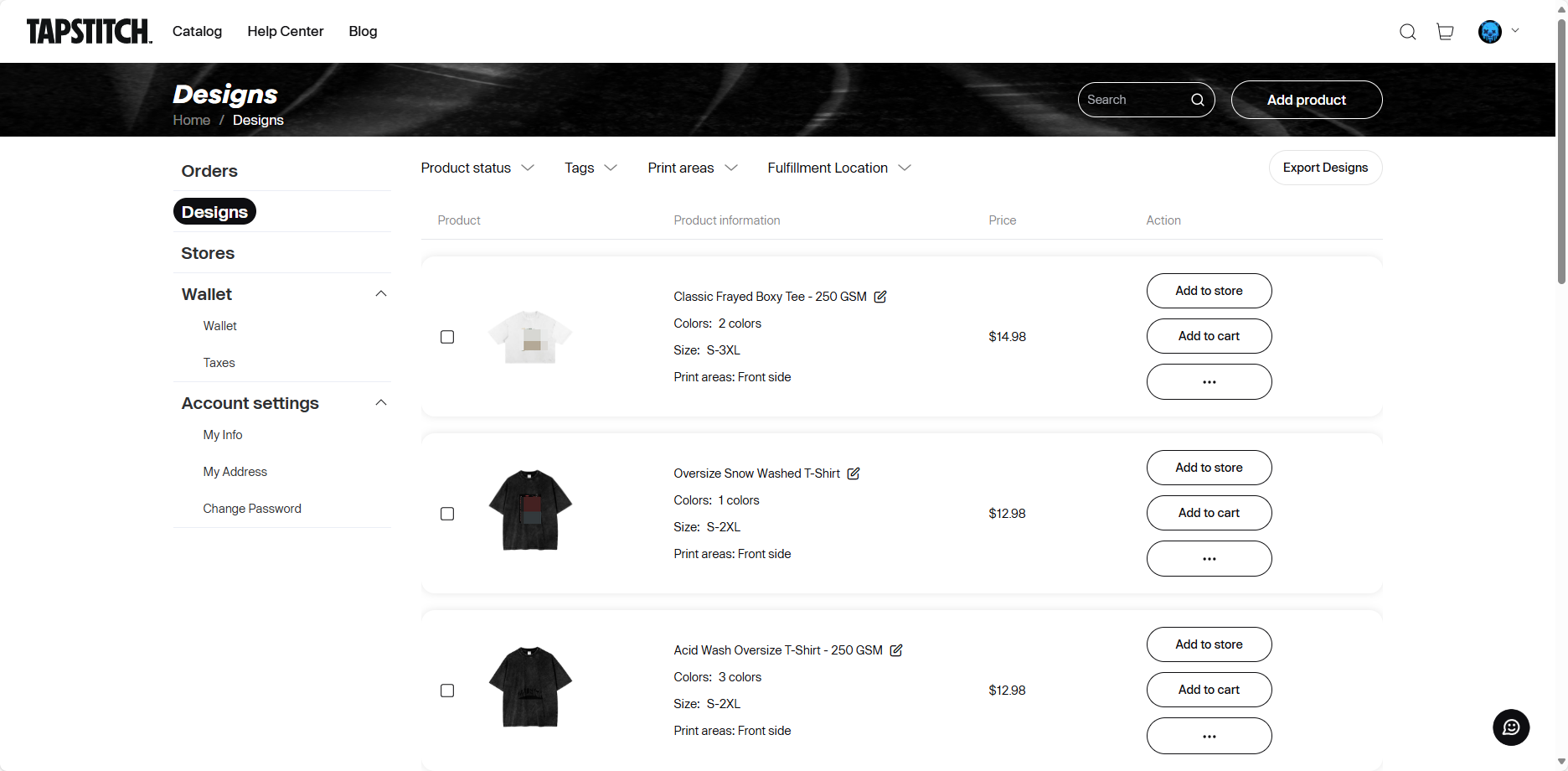
- Review and Order After saving, your design will appear in the Design List. From there, you can add it to your cart or link it to your store for further use.
Was this article helpful?
262 found this helpful